Movilike
CASE STUDY APP UX/UI
MoviLike
Briefing
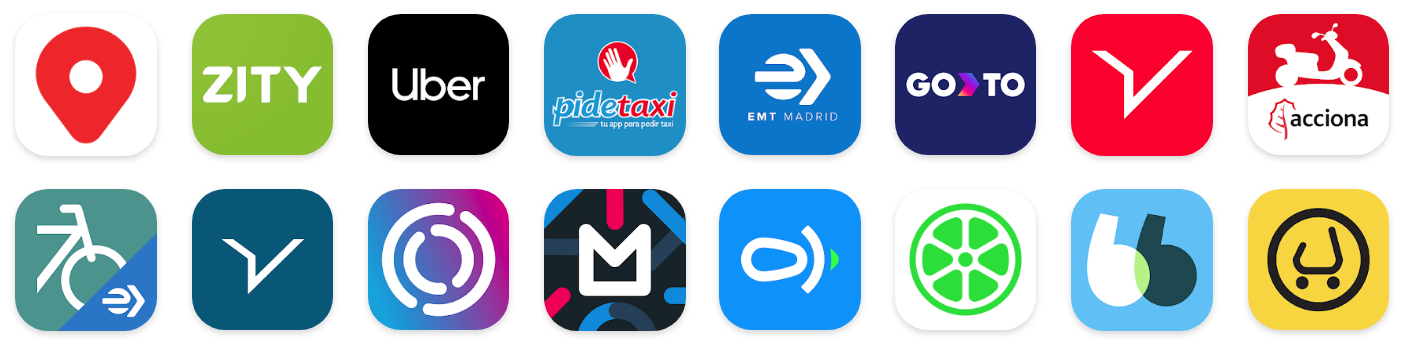
MoviLike is a proposal for a mobility application that brings together the different services that are present today in a city like Madrid or Barcelona. How many mobility apps do you have installed? Cabify, City, E-mov, Uber, Lime, Acciona, BlaBlaCar…
Are they necessary? Is a mobility tracker not possible? Think of the savings in time, money, and space on your device.
Minimum use cases to be covered:
– Renting mobility service.
– Sharing mobility service.
– Registering my vehicle to transport third parties, e.g. to work or for a long-distance scores trip.
Desirable extra points:
– Comparison of offers.
– Gamification, challenges, and discounts for good score.
MoviLike
research
As this is an App where the services of many mobility companies converge, I started my research by getting to know well how the different services and their applications work.
Field research
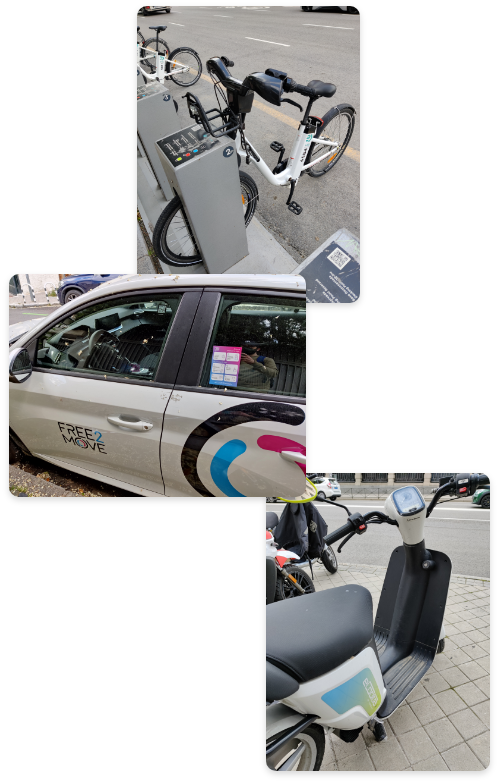
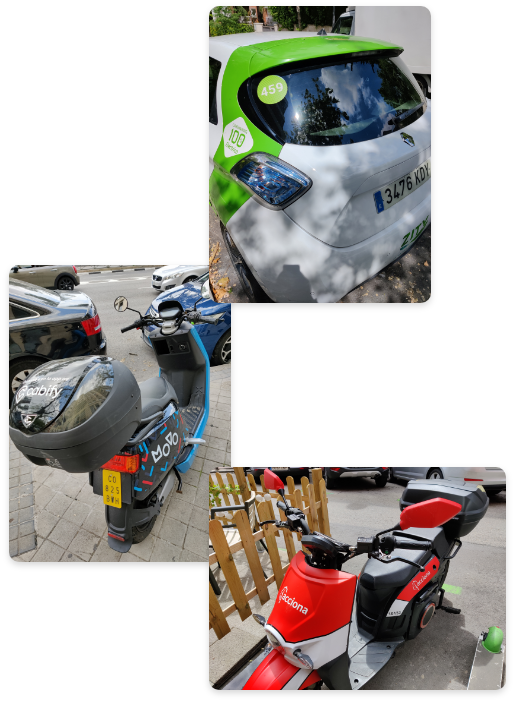
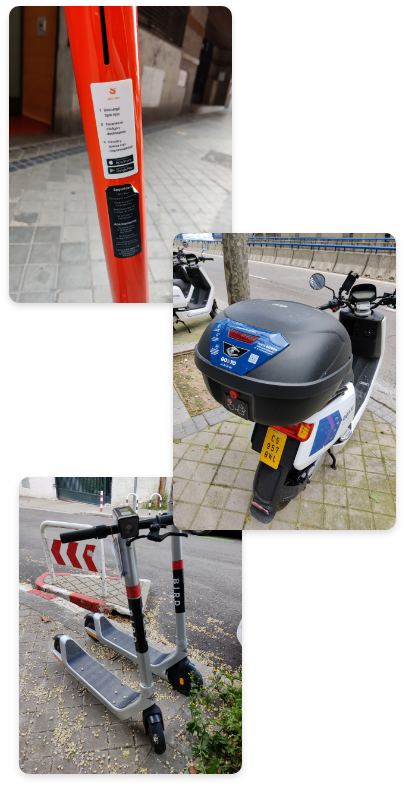
Installing and testing applications on my phone.
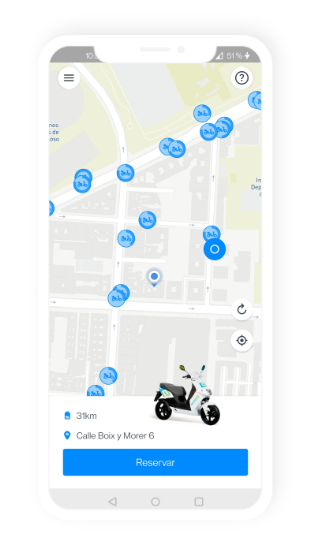
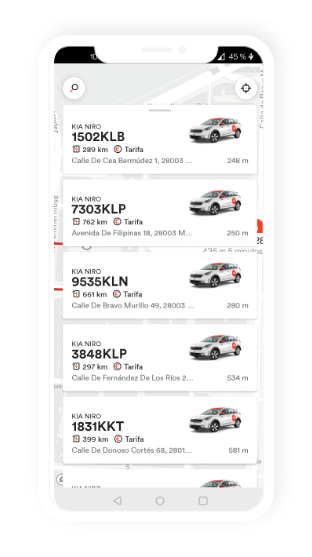
Cooltra
Wibble
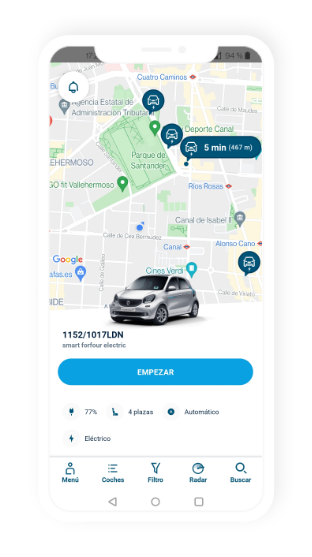
ShareNow
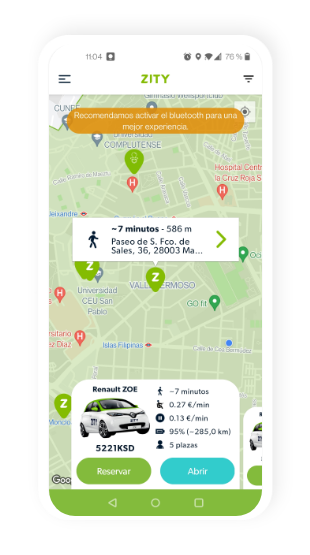
Zity
MoviLike
Competition
Several apps were located that provide a similar or similar service to the proposal. These were analyzed in-depth, their functioning, and integrations with mobility services.
After analyzing the 3 apps I came to several conclusions:
– None of them offer VTC services.
– None of them are integrated with any of the operators, to make a rental or booking you always have to go to the operator’s app, so there is no space-saving on the phone.

CityTrips – All the mobility
Meep – Public transport, taxis and more

Urbi – Urban mobility aggregator
MoviLike
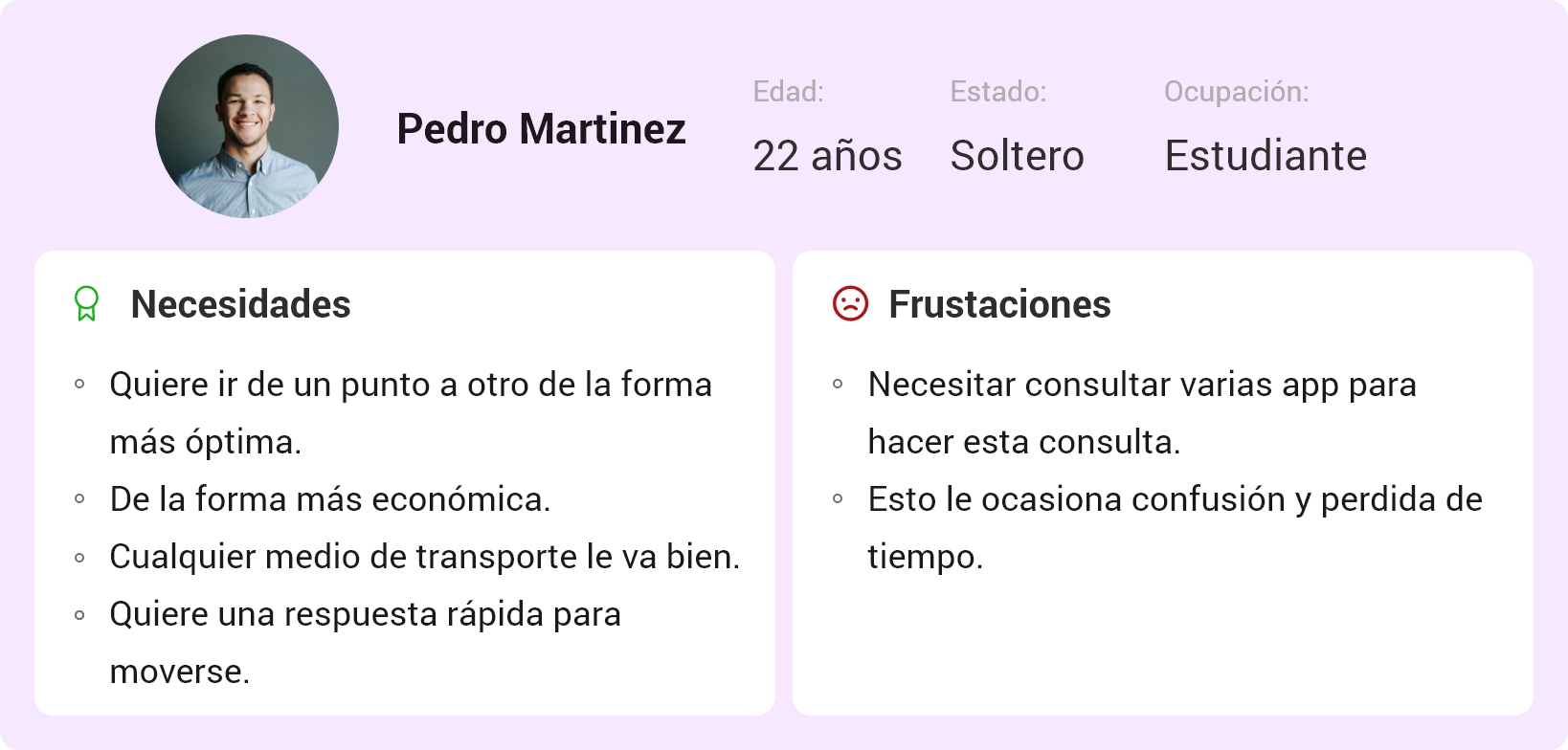
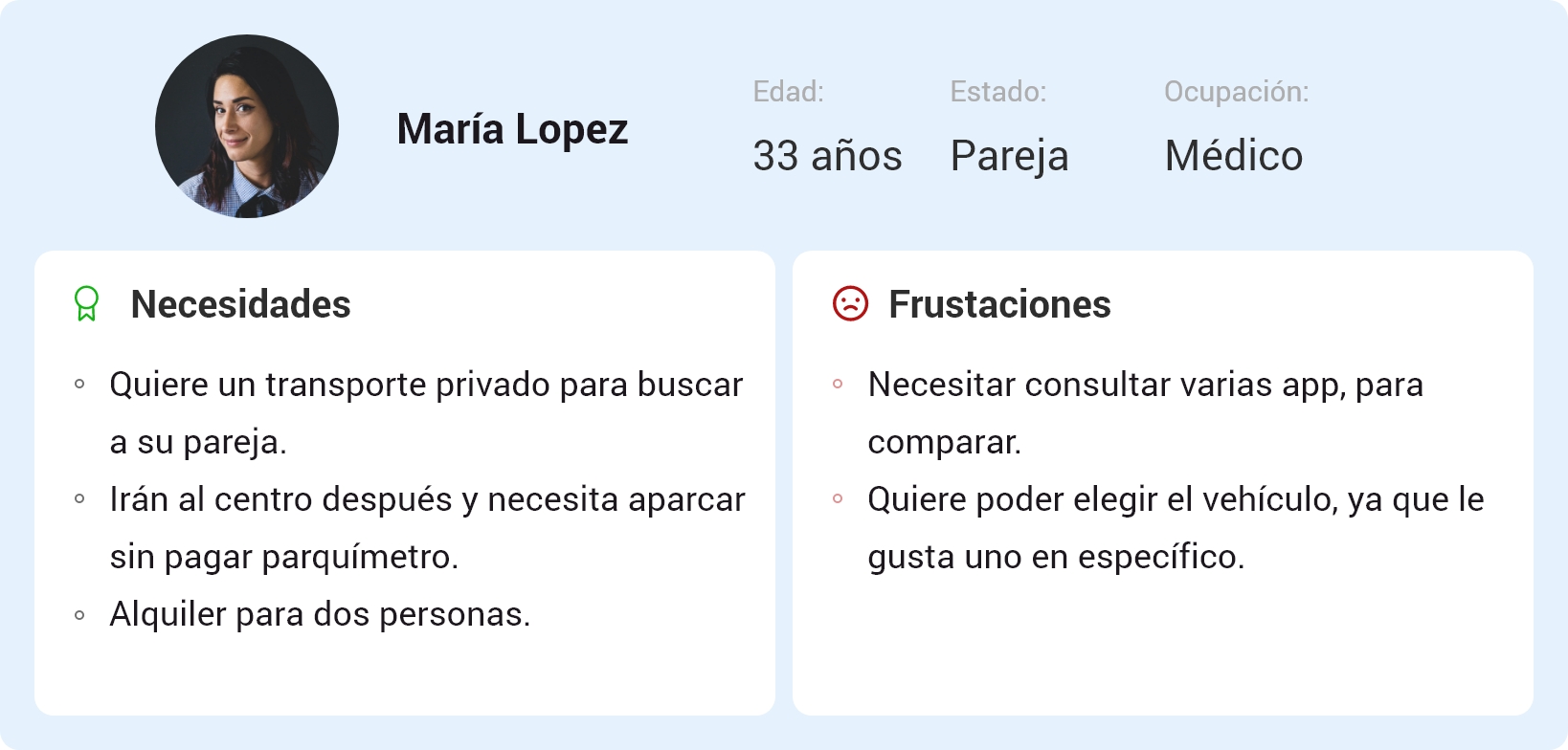
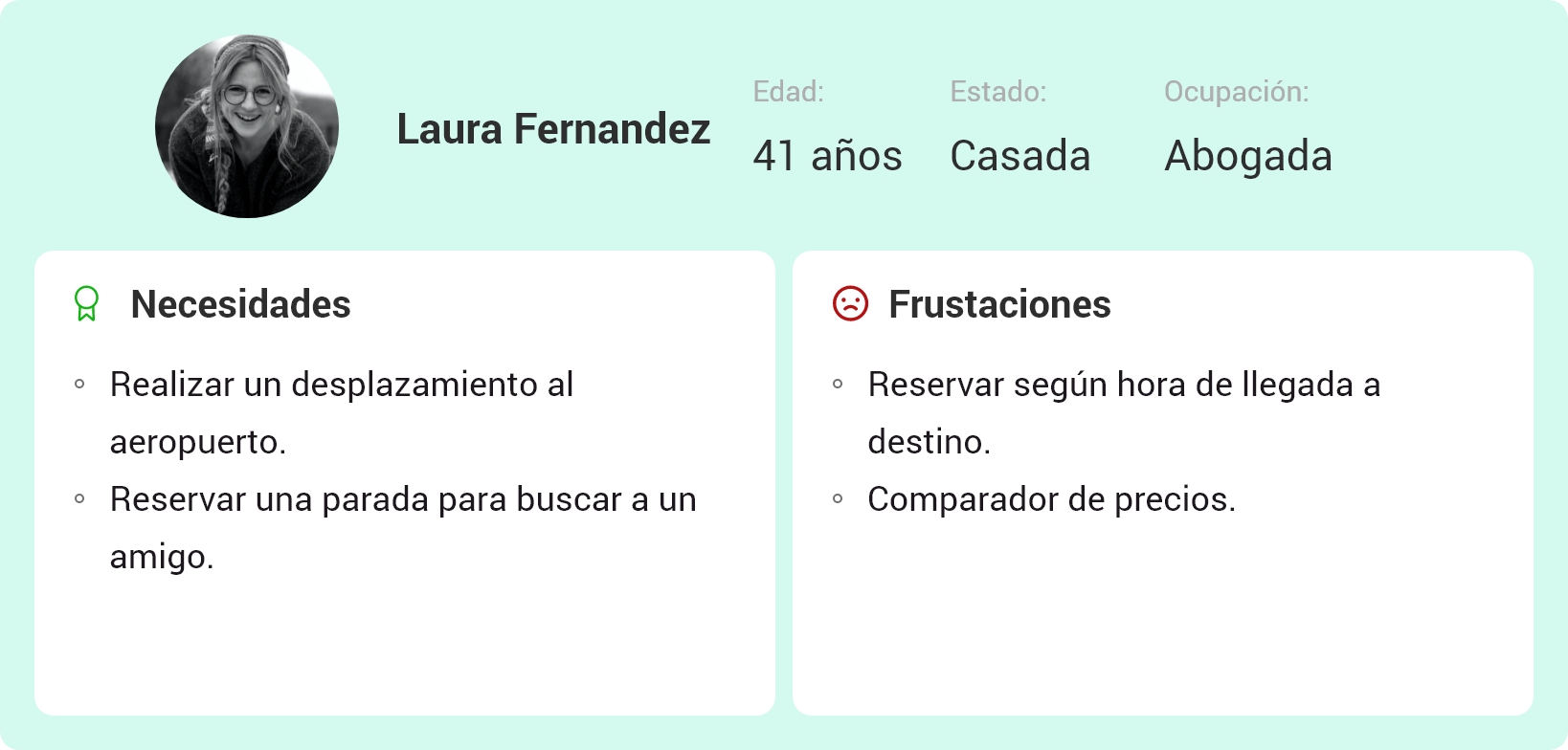
USER PERSONAS
MoviLike
ideas
Direct integration with apps to avoid:
– Having apps from all operators (saving phone memory).
– Application output to third-party apps.
Create both integrated and non-integrated options.
Differentiate
I drive
– Hire service
I want a ride
– Public transport
– VTC o Taxi
Share my car
Include it in the «I want a ride» option because it uses the origin and destination search engine.
MoviLike
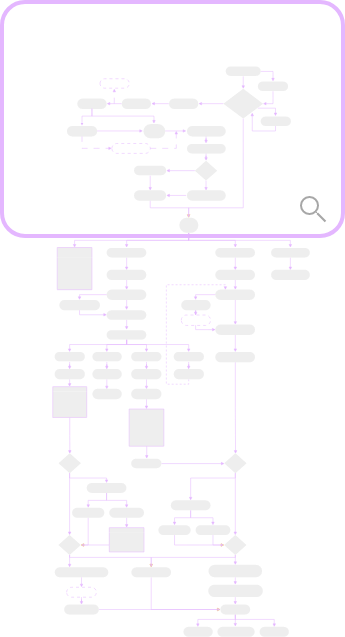
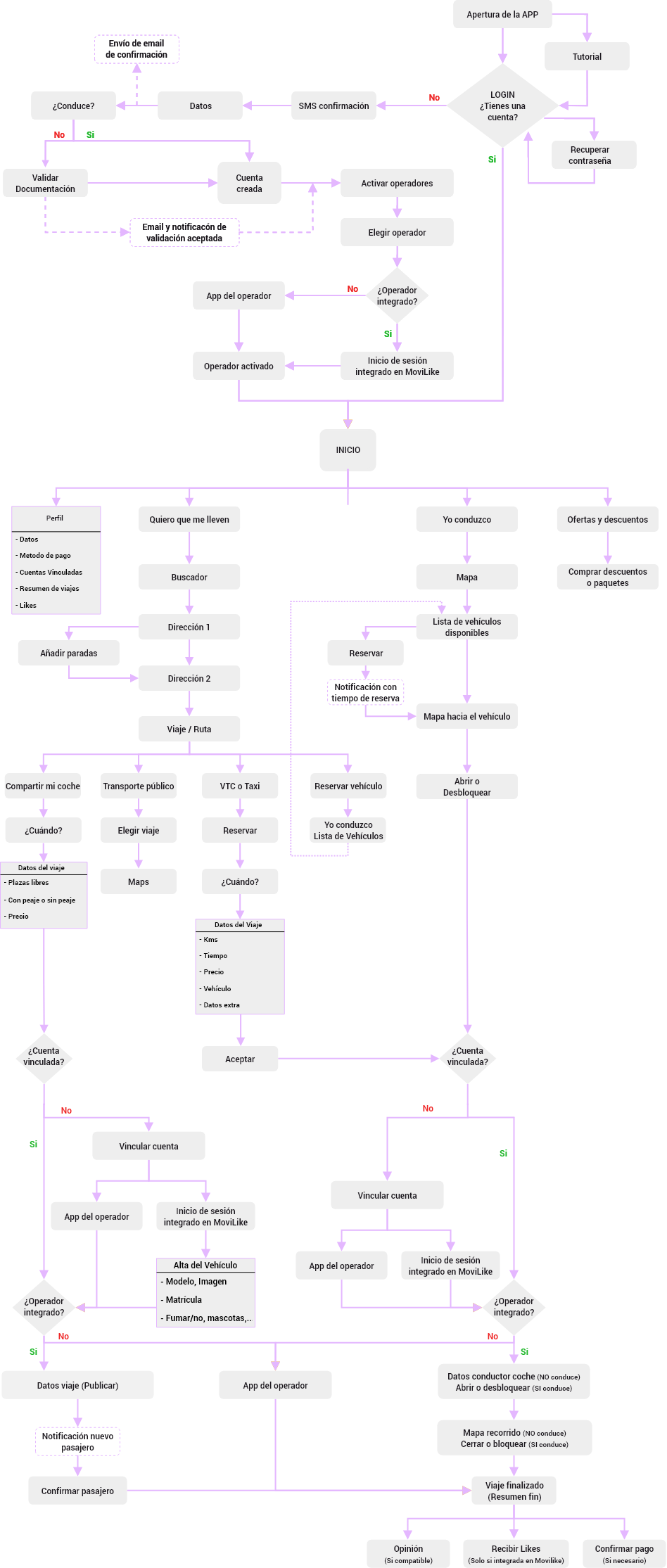
Workflow
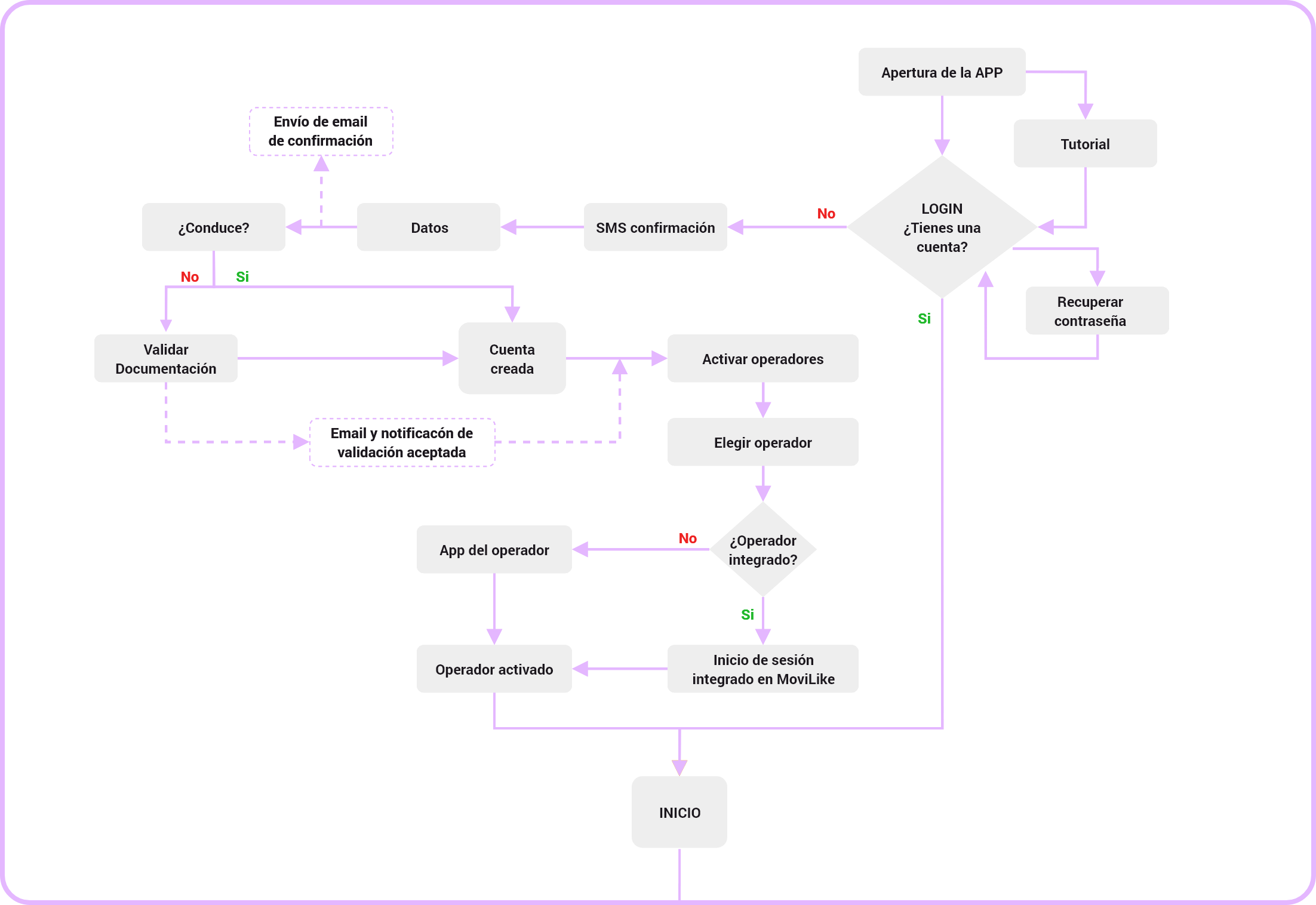

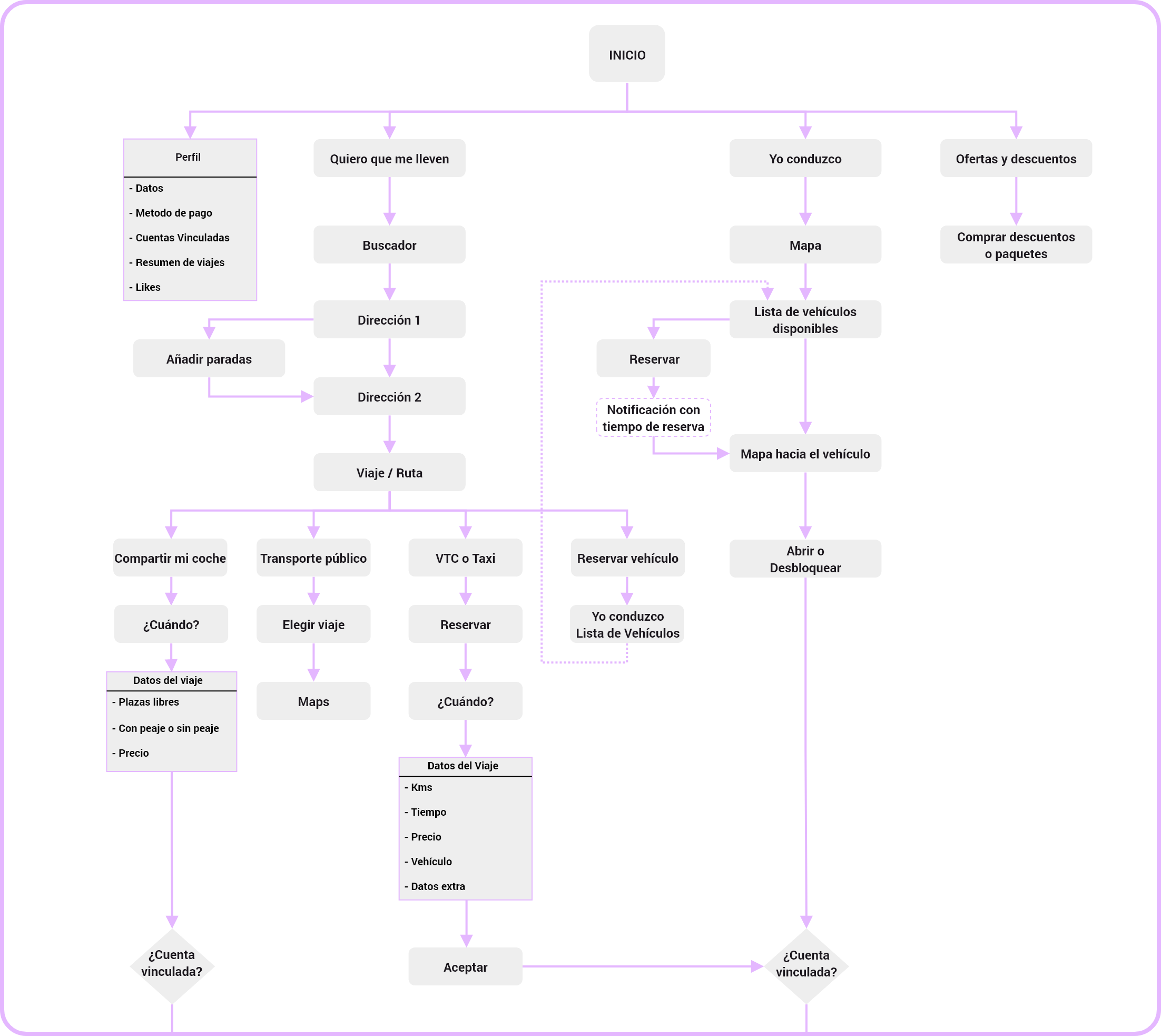
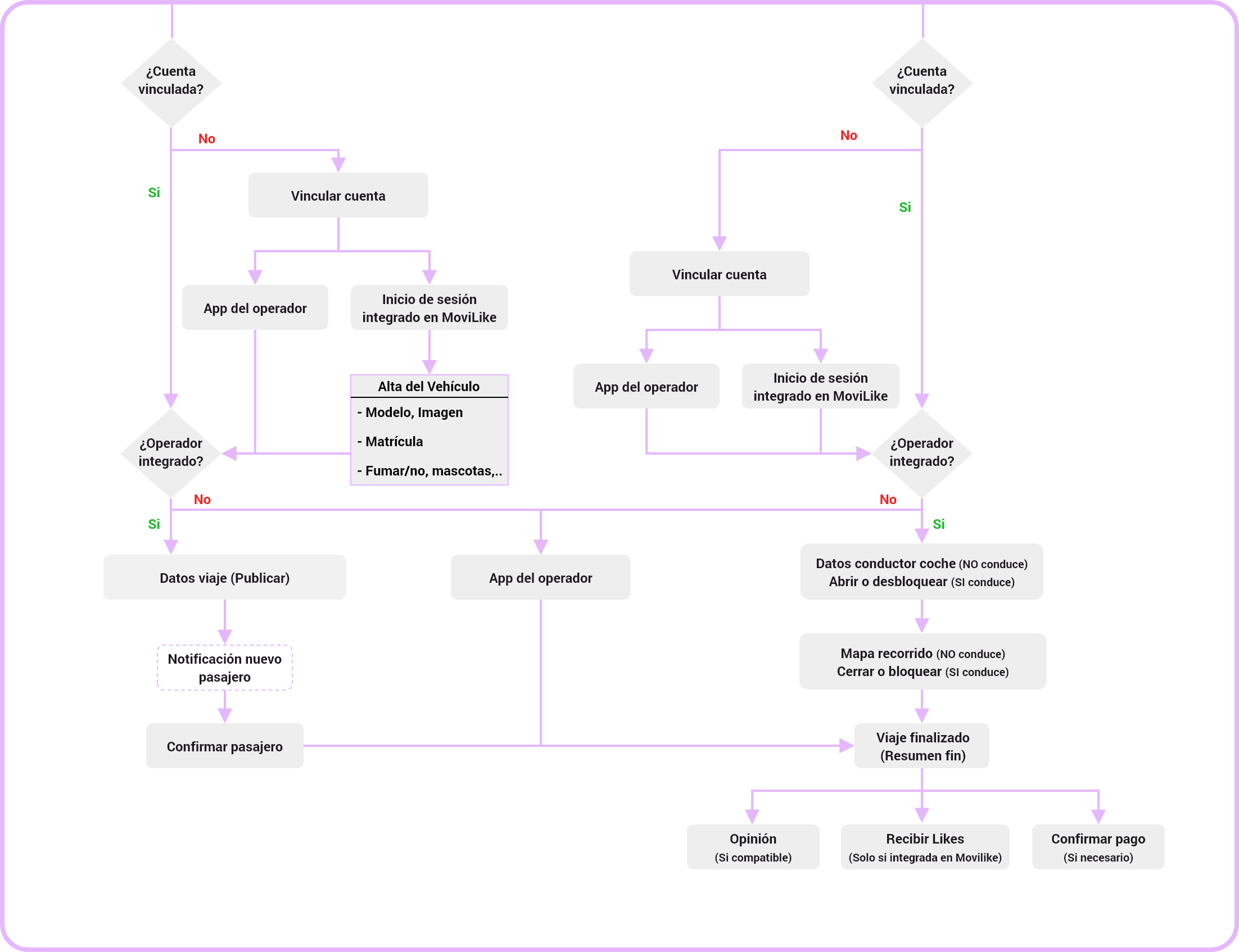
MoviLike
wireframes
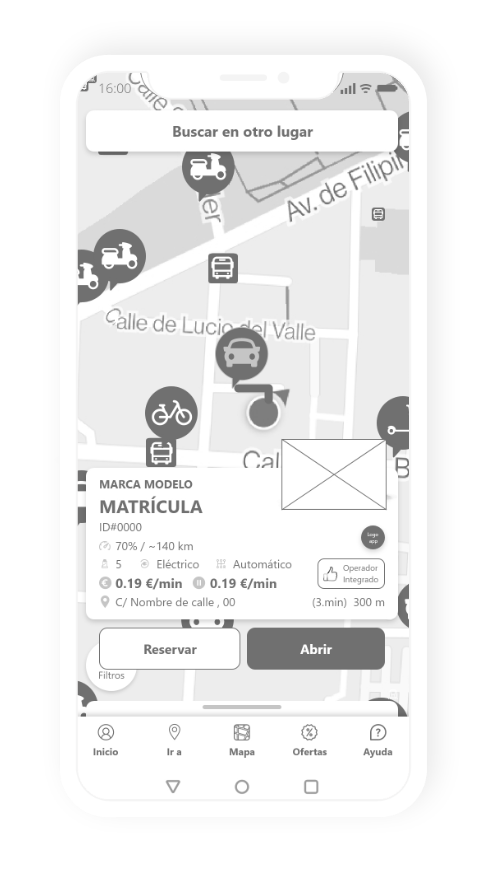
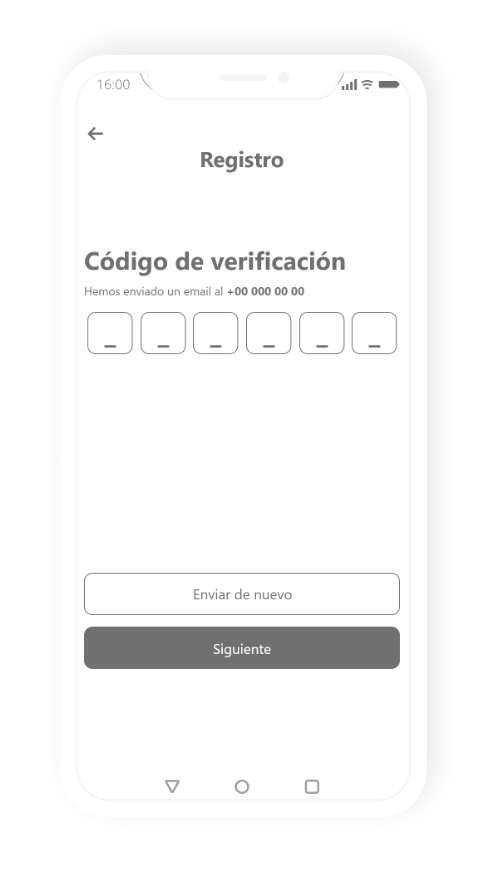
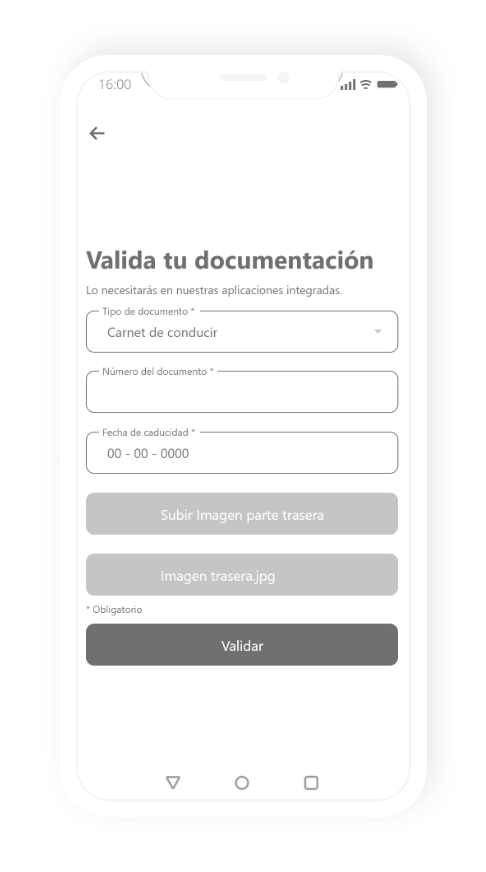
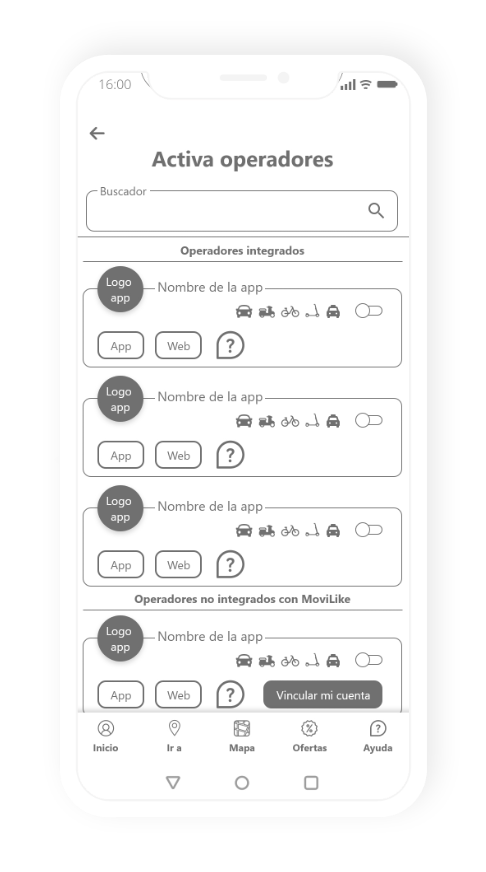
MoviLike
gamification
Creation of the Like concept.
– The operators integrated with Movilike, provide the user with Likes with each of their journeys or uses.
– These Likes are accumulated in the user’s profile.
– They can be used in different ways such as, for example, to discount the price when paying rental or internal promotions of the application (customer loyalty system).
– The user will only receive Likes with the operators integrated with MoviLike (with the others, the user will be informed of the Likes he/she would have received if that operator was integrated with MoviLike).
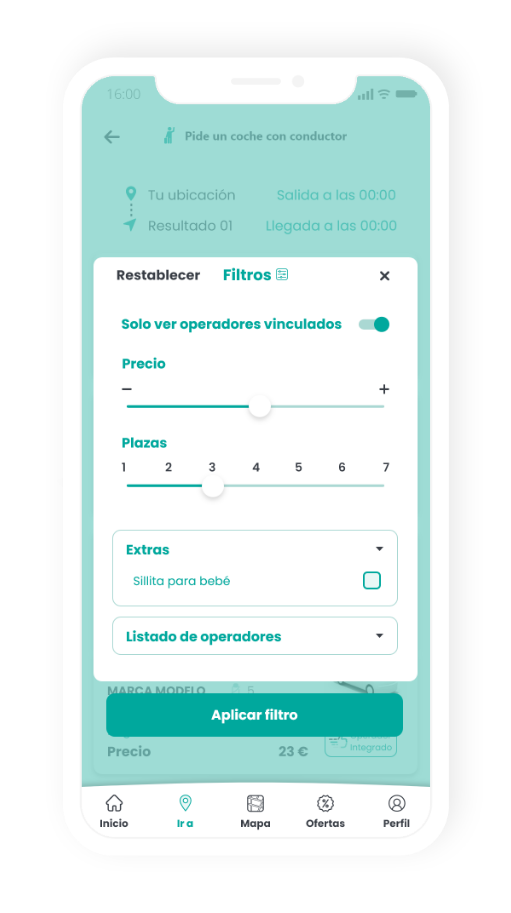
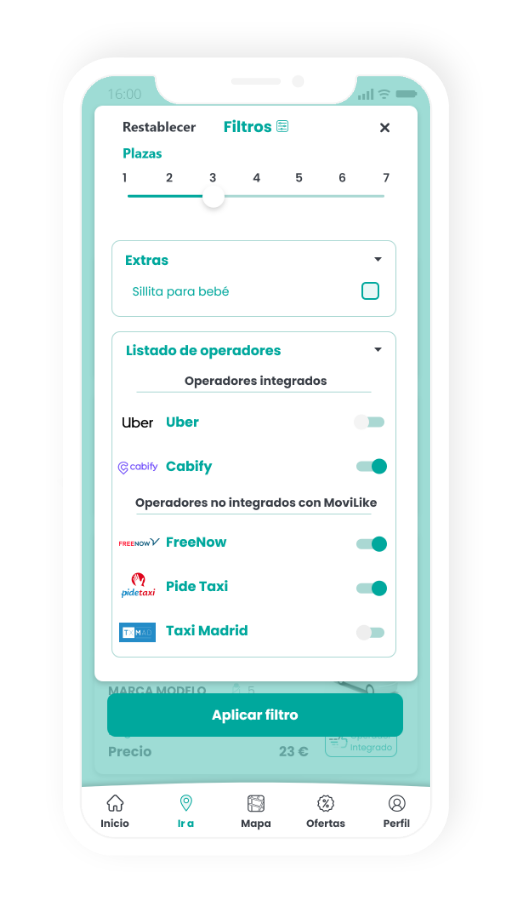
– Integrated operators will appear higher in the filters, and will be labeled as «integrated operators» so that the user knows at all times, and will benefit from easier use and the ability to apply discounts with Likes to customers.
– This also helps MoviLike to more easily achieve direct operator integrations and even ask users (in surveys or by email) if they want an operator to integrate with MoviLike, and use that data to convince the operator to integrate, generating business for MoviLike.
Creation of the
Like concept.
– The operators integrated with Movilike, provide the user with Likes with each of their journeys or uses.
– These Likes are accumulated in the user’s profile.
– They can be used in different ways such as, for example, to discount the price when paying rental or internal promotions of the application (customer loyalty system).
– The user will only receive Likes with the operators integrated with MoviLike (with the others, the user will be informed of the Likes he/she would have received if that operator was integrated with MoviLike).
– Integrated operators will appear higher in the filters, and will be labeled as «integrated operators» so that the user knows at all times, and will benefit from easier use and the ability to apply discounts with Likes to customers.
– This also helps MoviLike to more easily achieve direct operator integrations and even ask users (in surveys or by email) if they want an operator to integrate with MoviLike, and use that data to convince the operator to integrate, generating business for MoviLike.
MoviLike
Fonts
Choice of a typeface that is easy to read and understand.
Poppins
Poppins Regular
Poppins Bold
Poppins Black
A B C D E F G H I J K L M N
Ñ O P Q R S T U V W X Y Z
a b c d e f g h i j k l m n
ñ o p q r s t u v w x y z
0123456789
MoviLike
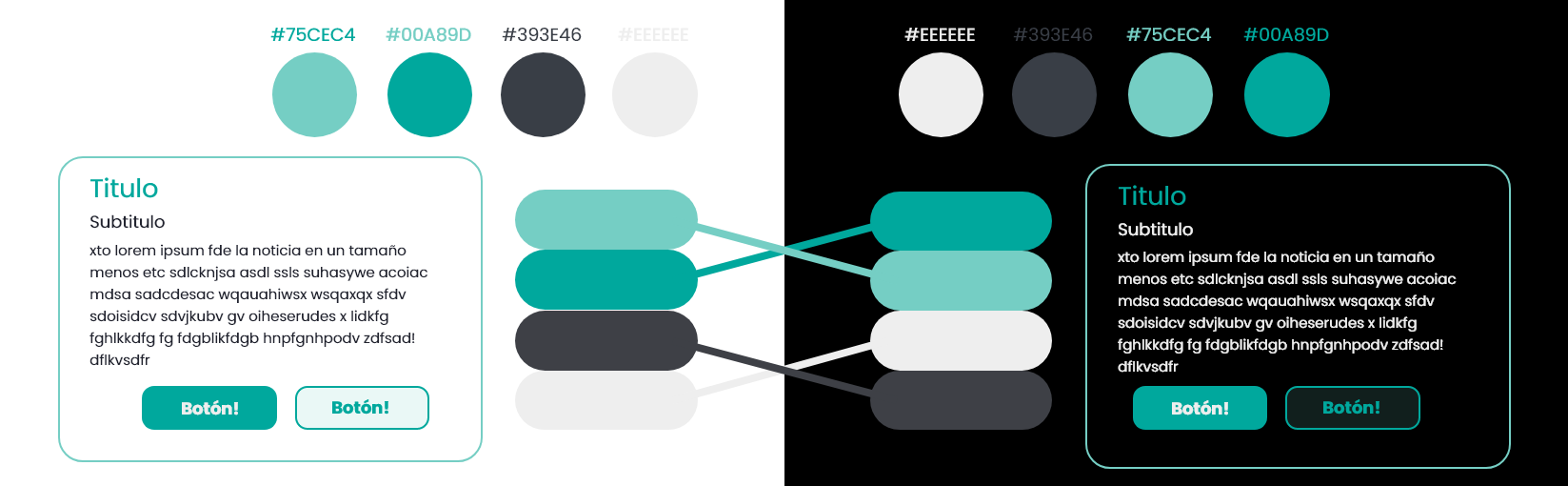
colors
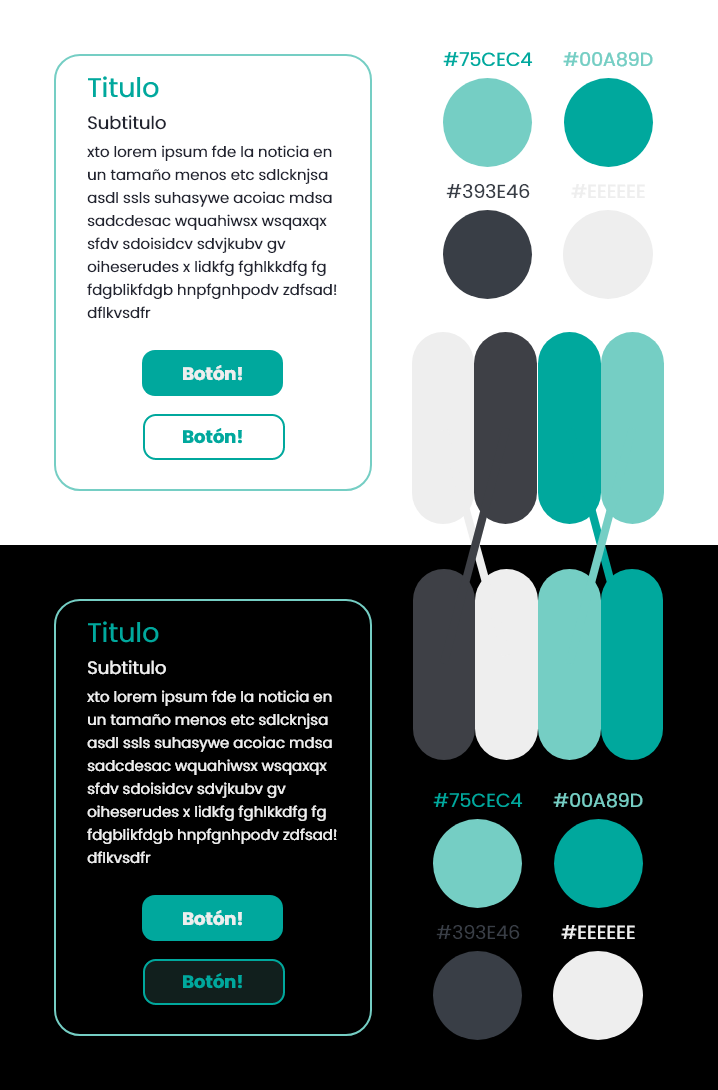
Due to the number of colours that the mobility apps have integrated, the shades chosen do not coincide with any of the operators.
MoviLike
logo


MoviLike
Application design
Loading screen
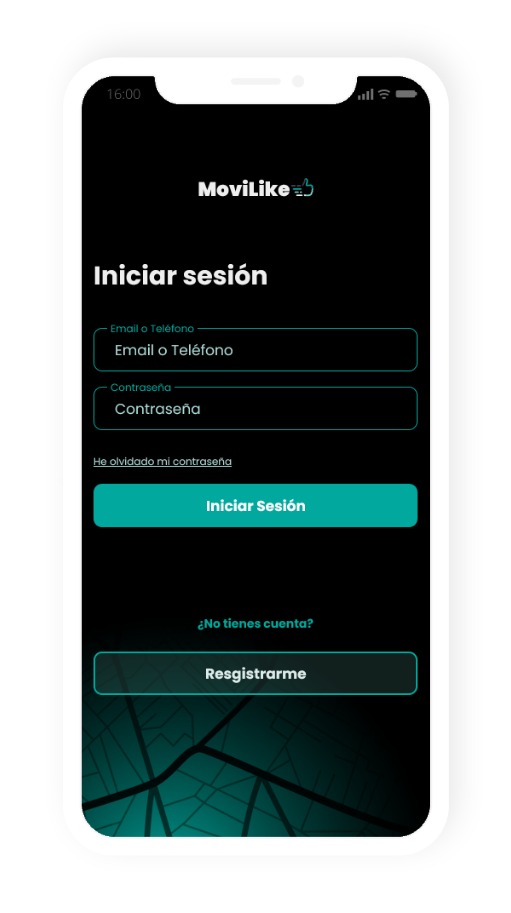
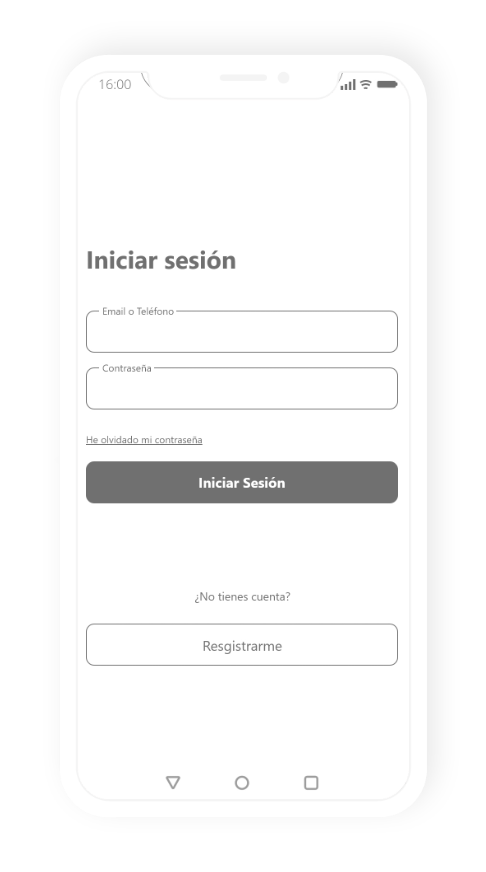
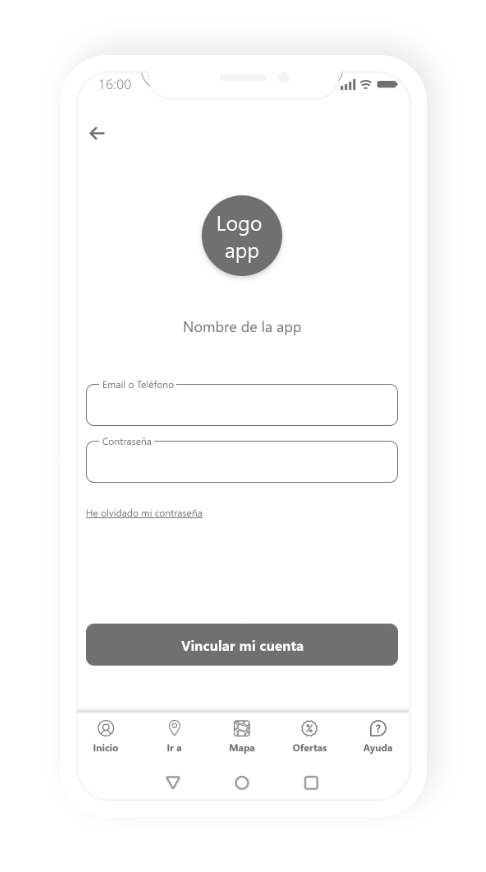
Login
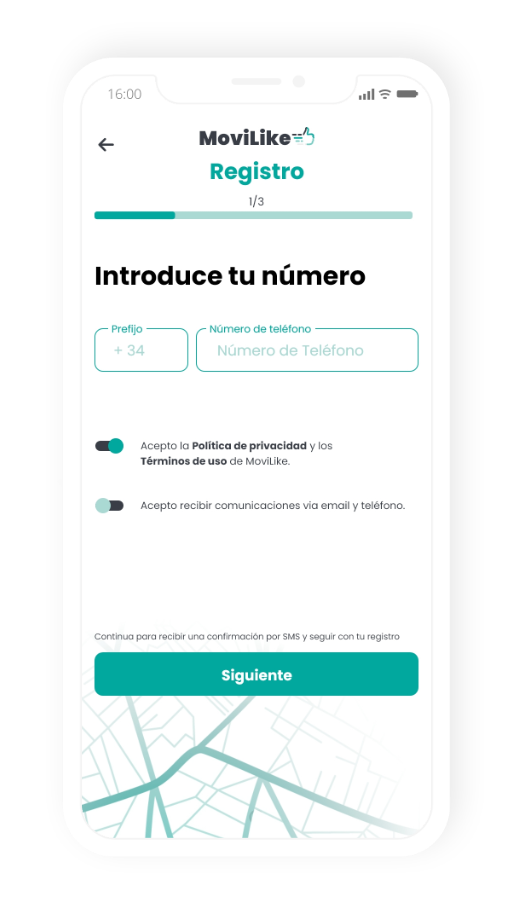
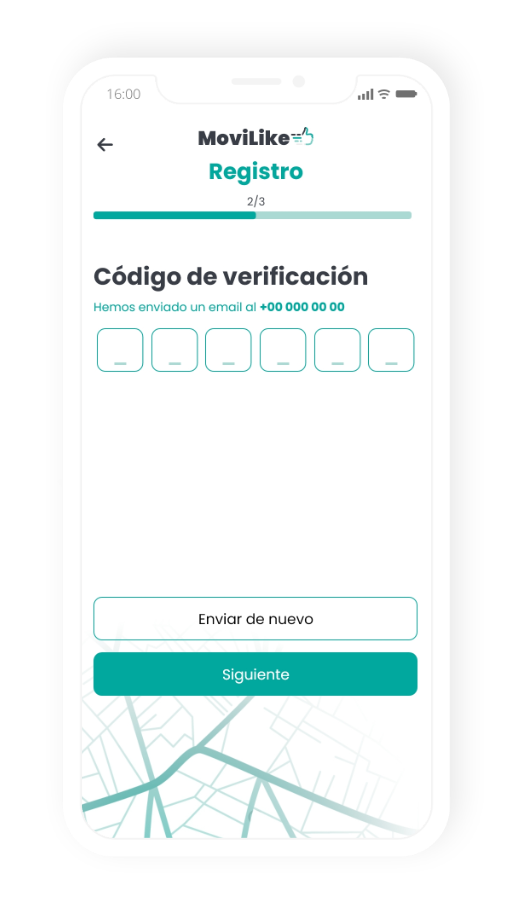
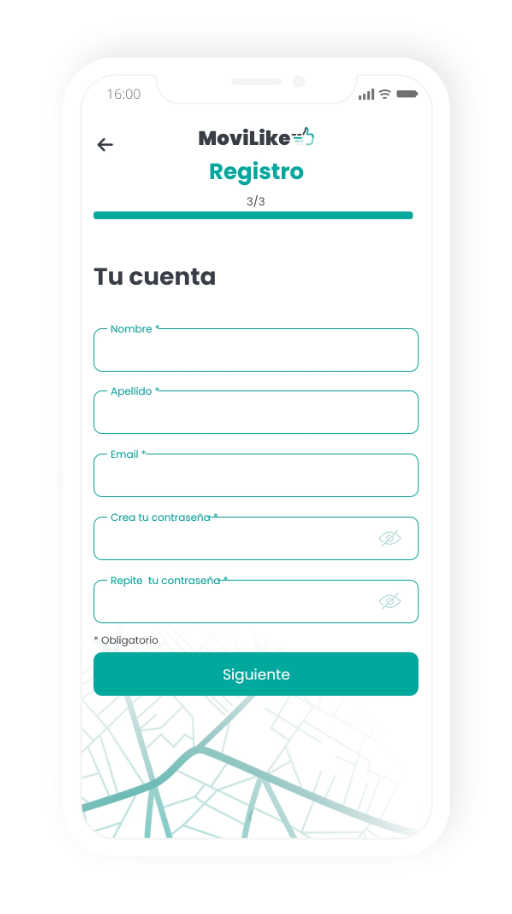
Easy login with valid email and phone number
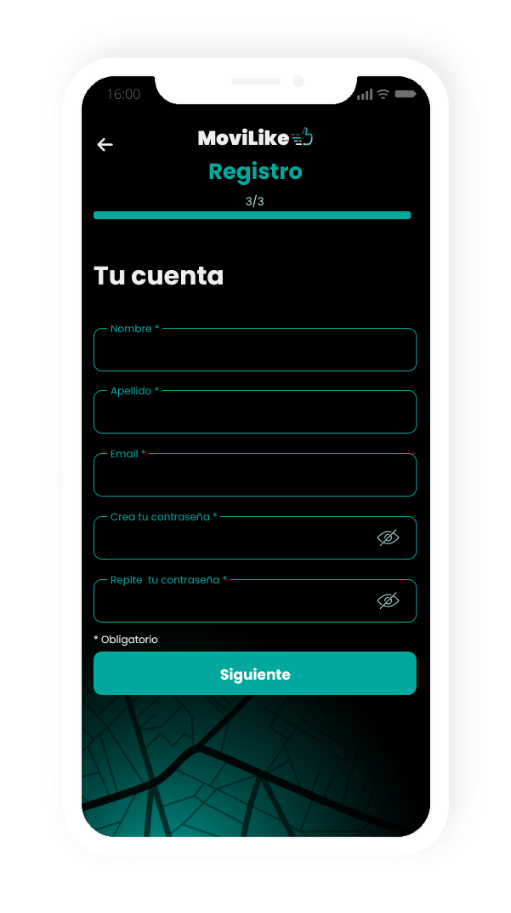
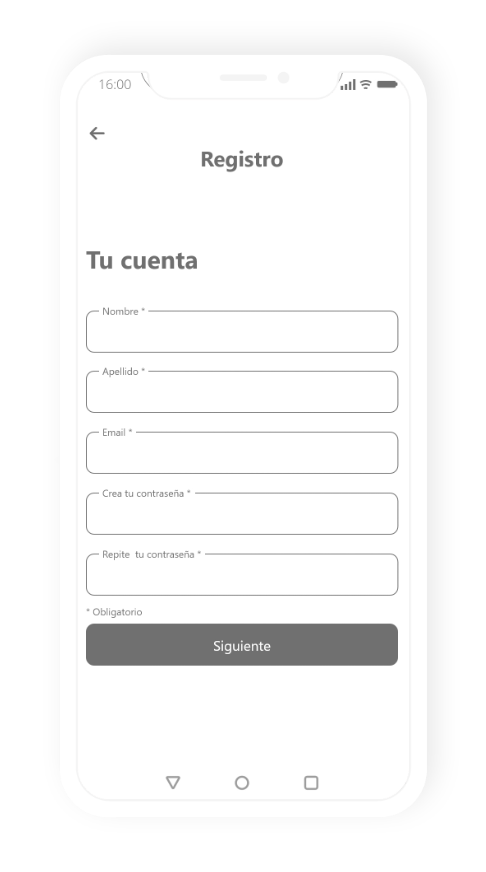
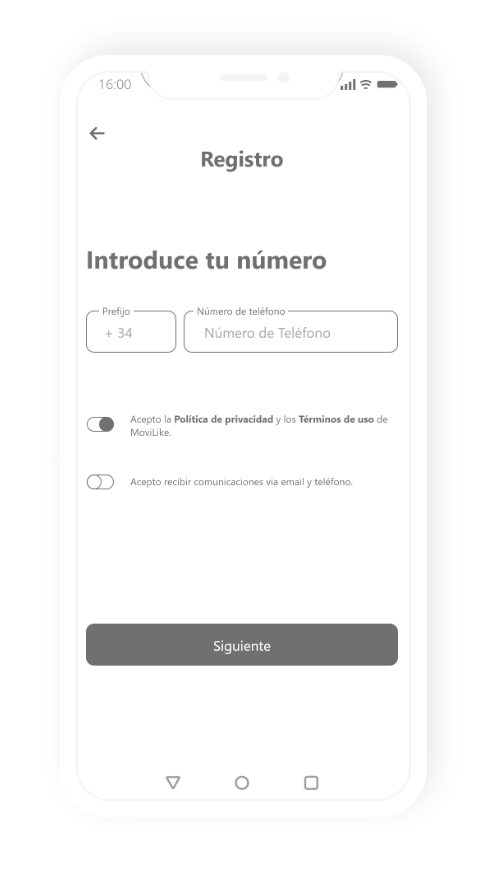
register
Recommend including a register so that we can have better control of the users, they accept the processing of their data, and also that when they change their phone they only have to log in
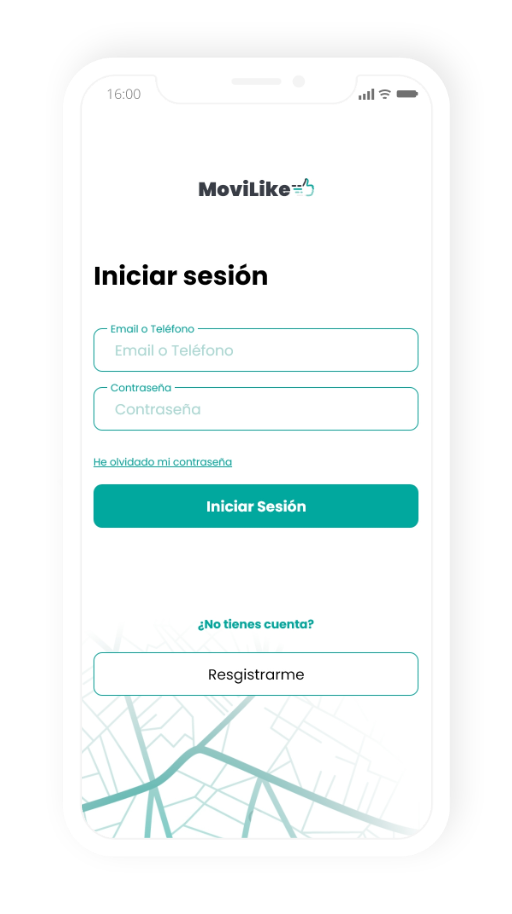
Login
Easy login with valid email and phone number
register
Recommend including a register so that we can have better control of the users, they accept the processing of their data, and also that when they change their phone they only have to log in
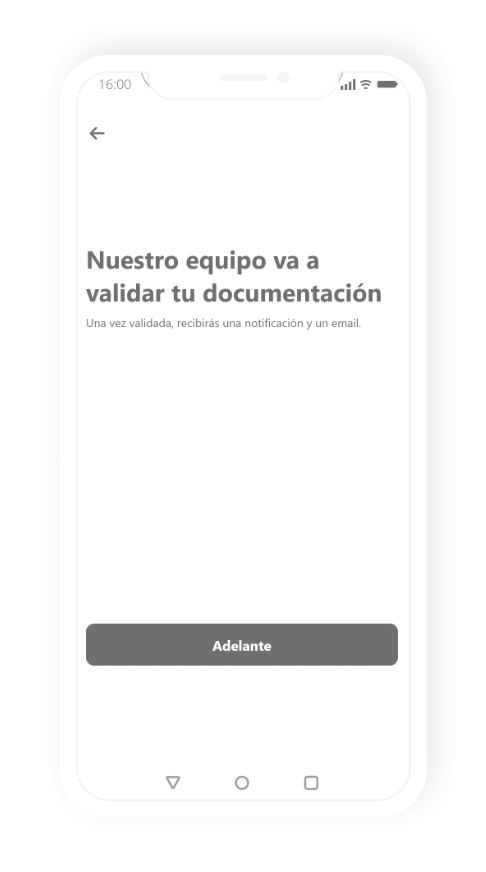
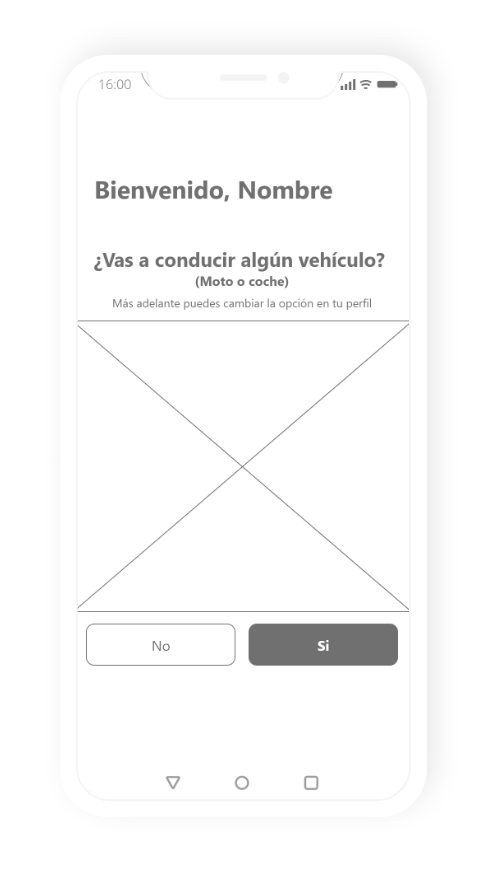
Driving licence validation
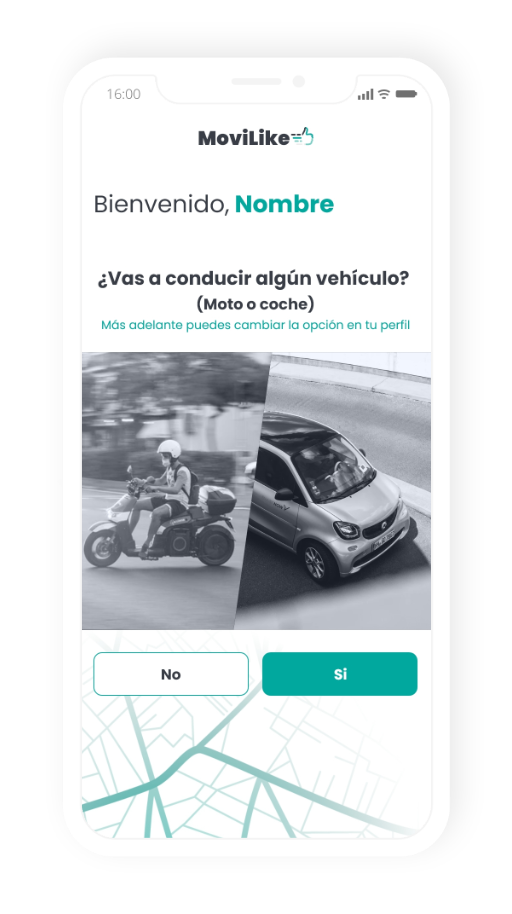
The user is asked if he/she is going to drive or not.
If YES, the user is directed to the following screens where they will fill in their details and our team will validate them.
If the user answers NO, he/she is directed to the main screen. If at any time you would like to make a rental, the application will bring you to this screen to validate your documentation. You can also perform this action, at any time, in your profile.
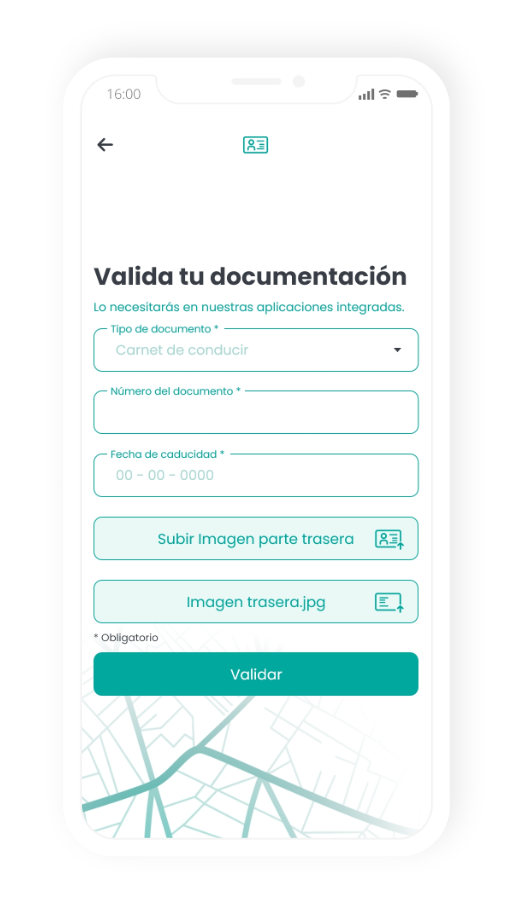
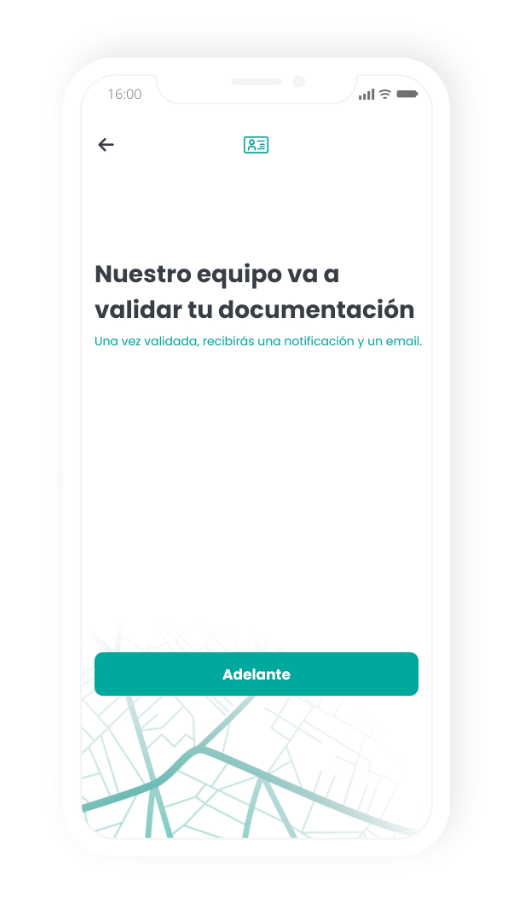
Driving licence validation
The user is asked if he/she is going to drive or not.
If YES, the user is directed to the following screens where they will fill in their details and our team will validate them.
If the user answers NO, he/she is directed to the main screen. If at any time you would like to make a rental, the application will bring you to this screen to validate your documentation. You can also perform this action, at any time, in your profile.
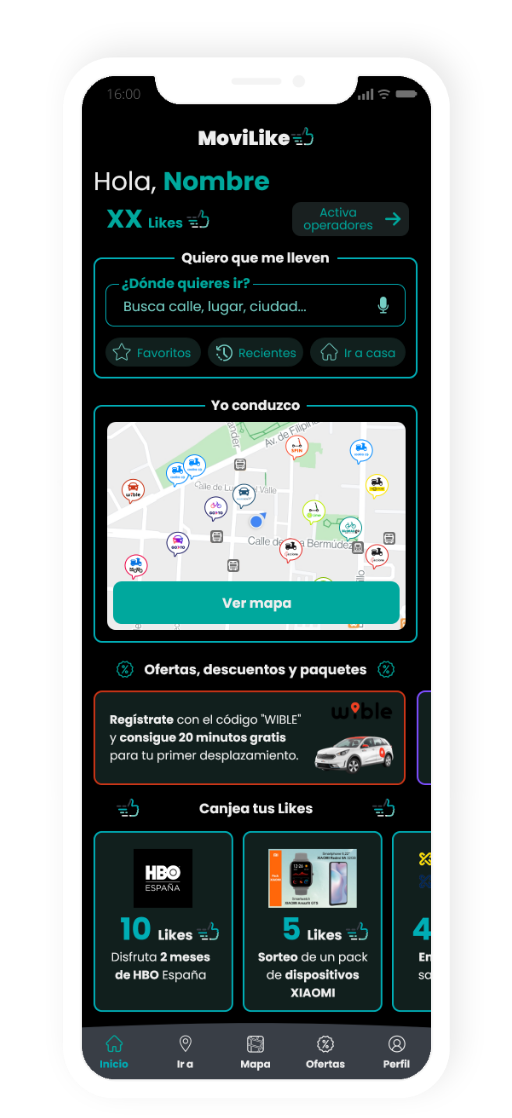
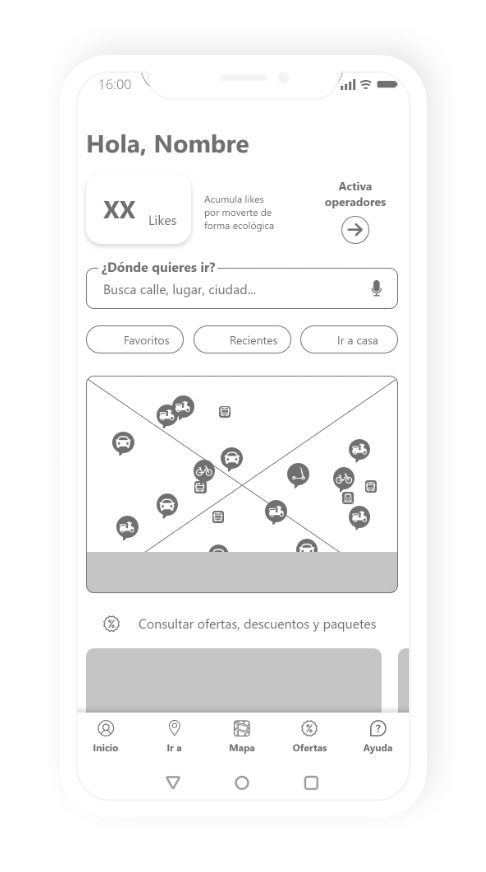
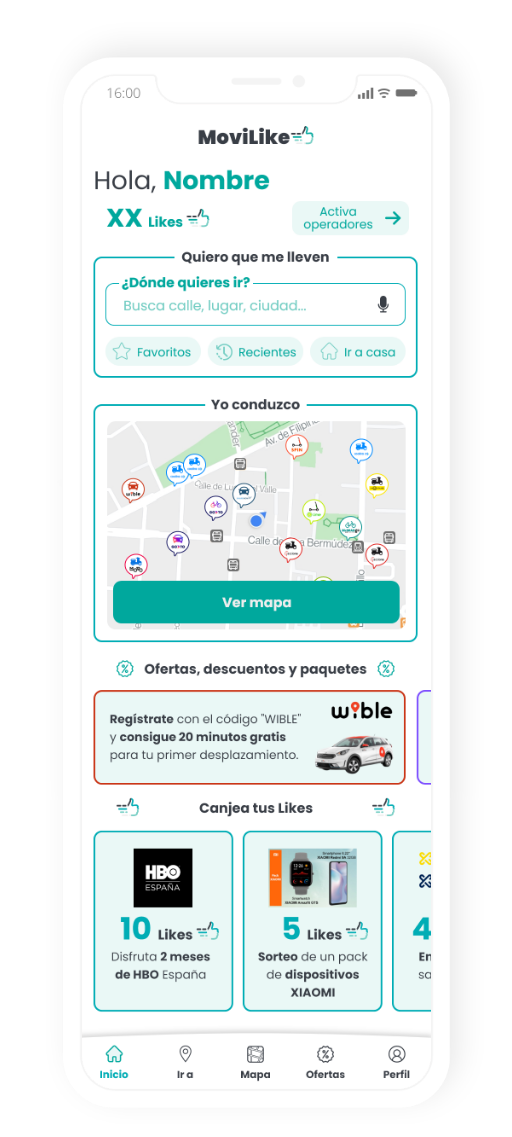
HOME
Content:
– Greeting and user name
– Accumulated Likes
– I want a ride
– Text search
– Include an option to search by audio
– Direct buttons (favorite sites, recent, go home)
– I drive
– Link to map with the location
– Nearby operators can be viewed
– Offers, discounts, and packages
– Zone where you can see featured offers
– Zone to redeem likes (loyalty system)
– Menu
Content:
– Greeting and user name
– Accumulated Likes
– I want a ride
– Text search
– Include an option to search by audio
– Direct buttons (favorite sites, recent, go home)
– I drive
– Link to map with the location
– Nearby operators can be viewed
– Offers, discounts, and packages
– Zone where you can see featured offers
– Zone to redeem likes (loyalty system)
– Menu
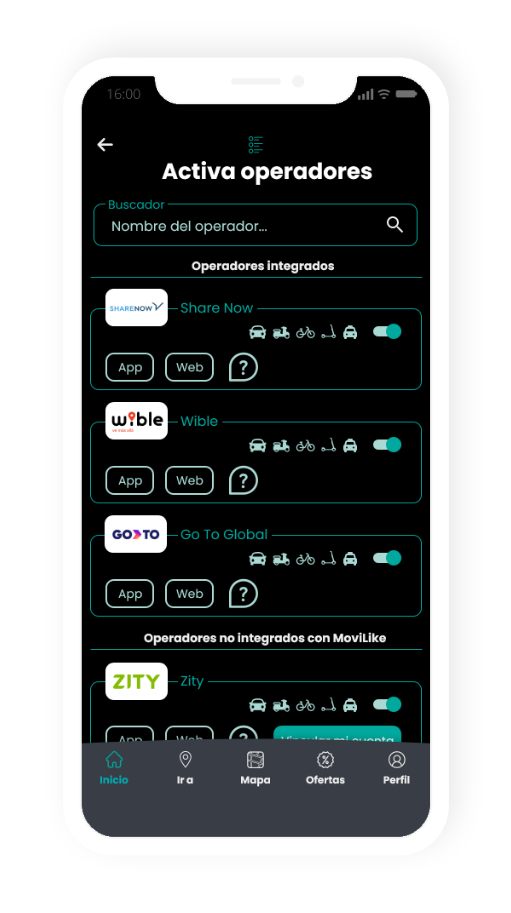
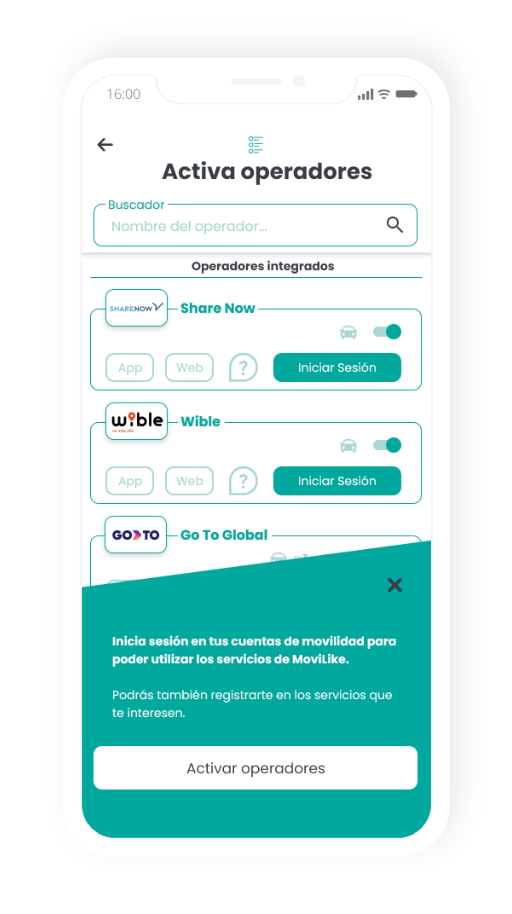
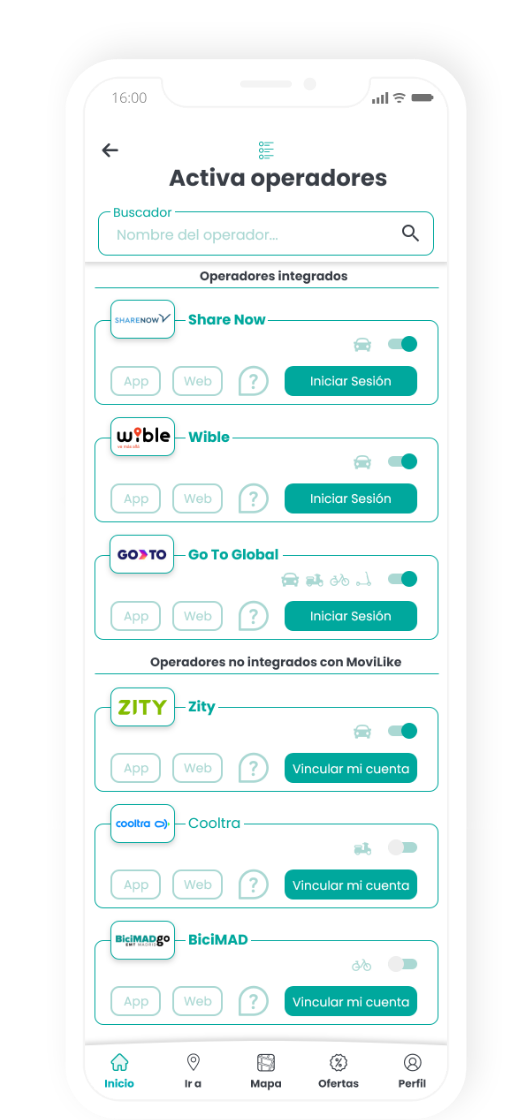
Activation of operators
This area is created to list all operators.
Giving priority to operators integrated with MoviLike.
Integrated operators
You only need to log in (within the MoviLike app), to use its services.
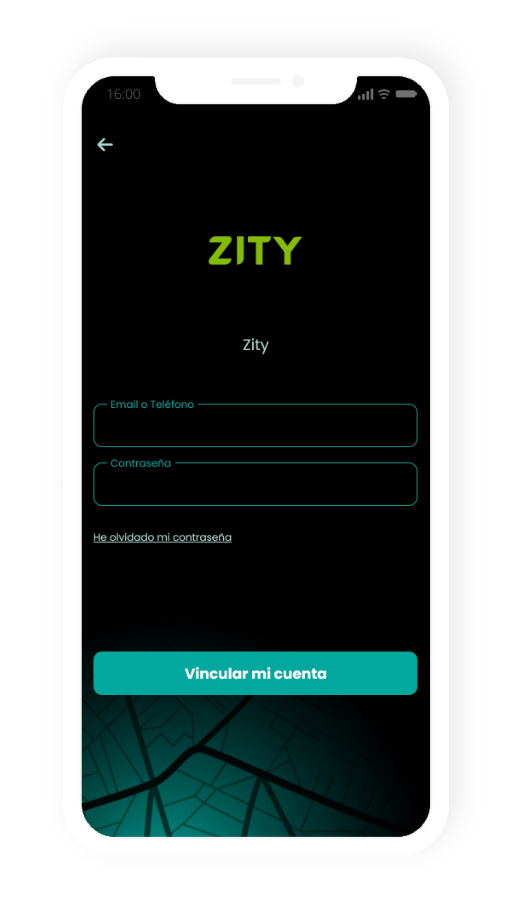
The user must log in with the operator’s username and password to share and confirm their data.
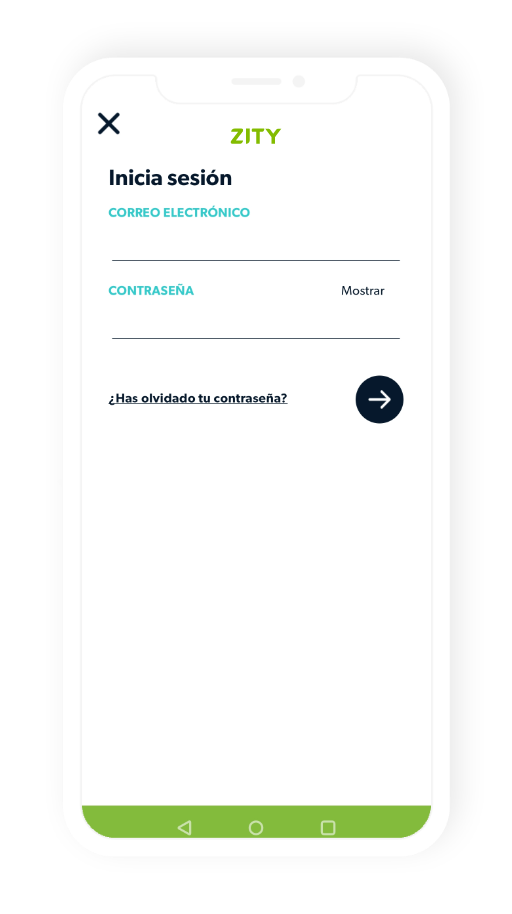
NON-integrated operators
The user will have to keep the operator’s application on his phone, as he will be directed to it when he wants to use its services. But they will have to link their account (by logging into the operator’s app), to link the two applications.
Example of a
NON-integrated operator
Integrated operators
You only need to log in (within the MoviLike app), to use its services.
The user must log in with the operator’s username and password to share and confirm their data.
NON-integrated operators
The user will have to keep the operator’s application on his phone, as he will be directed to it when he wants to use its services. But they will have to link their account (by logging into the operator’s app), to link the two applications.
Example of a
NON-integrated
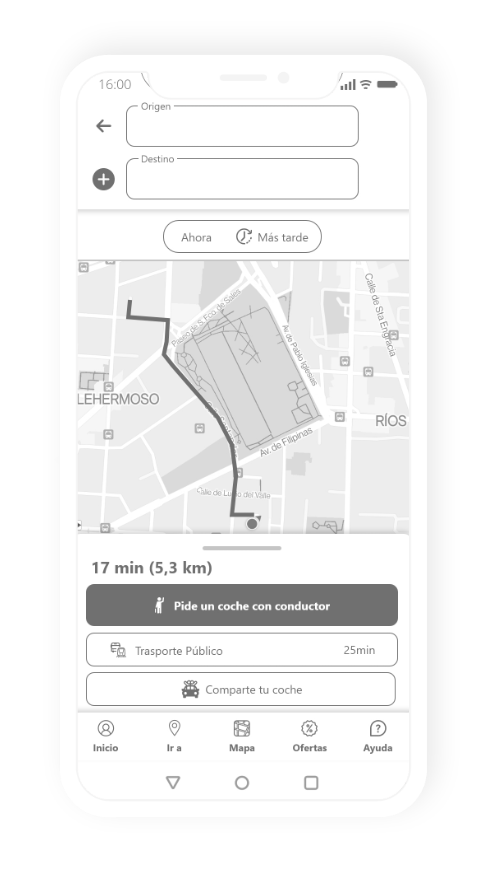
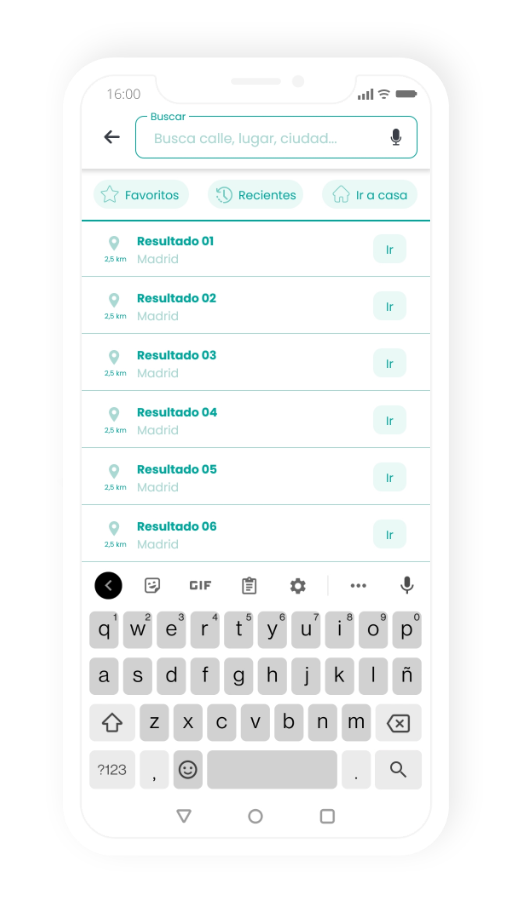
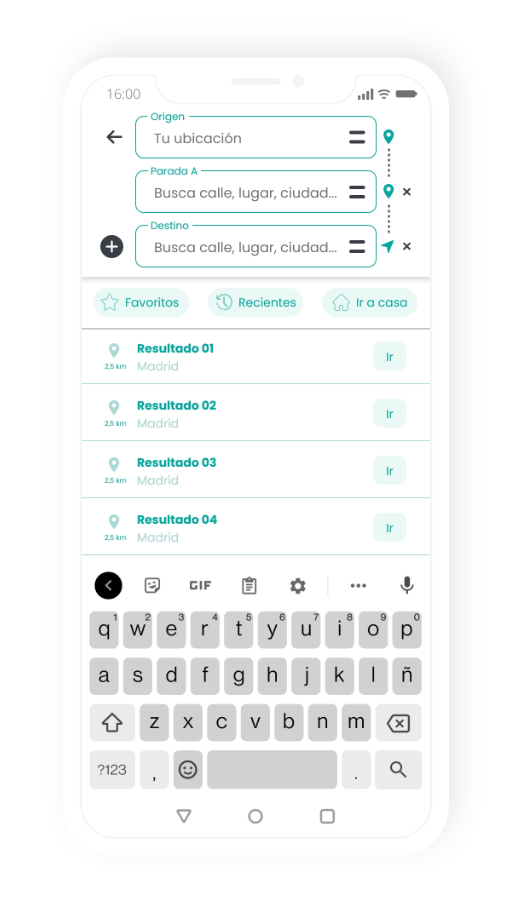
1. «I want a ride» process
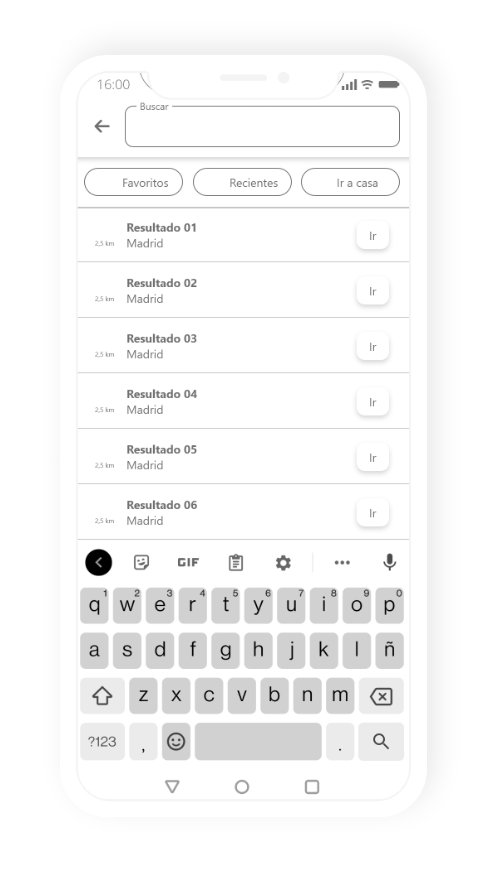
Destination search engine
– You can change the origin.
– Change the order.
– Add stops.
– Including again the favorites, recent and go home buttons.
Options
– Request a car with a driver.
– Public transport, this information will be imported by the application from Google Maps or the city’s public transport application.
– Option to share your car and post a ride.
– I drive, which as we have seen in the workflow takes you back to the booking map, from the origin.
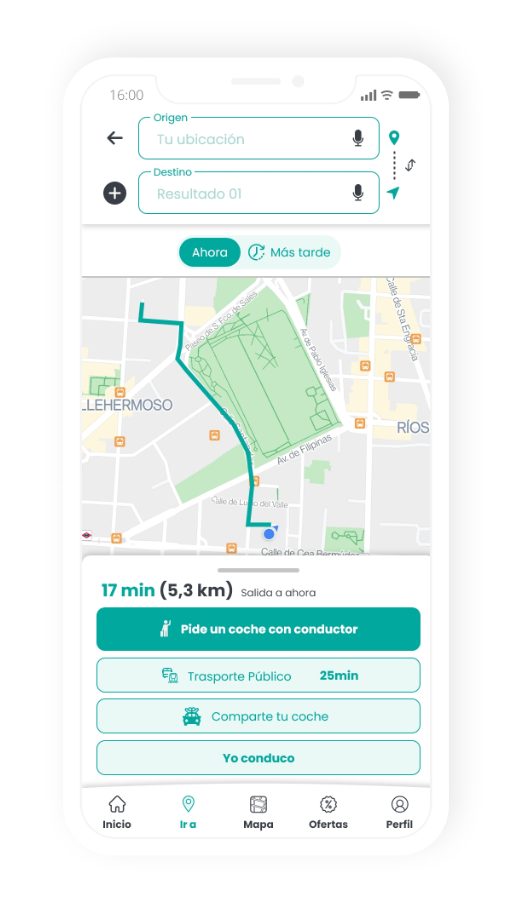
1. «I want a ride»
process
Destination search engine
– You can change the origin.
– Change the order.
– Add stops.
– Including again the favorites, recent and go home buttons.
Options
– Request a car with a driver.
– Public transport, this information will be imported by the application from Google Maps or the city’s public transport application.
– Option to share your car and post a ride.
– I drive, which as we have seen in the workflow takes you back to the booking map, from the origin.
Filter for departure time
or arrival time and date
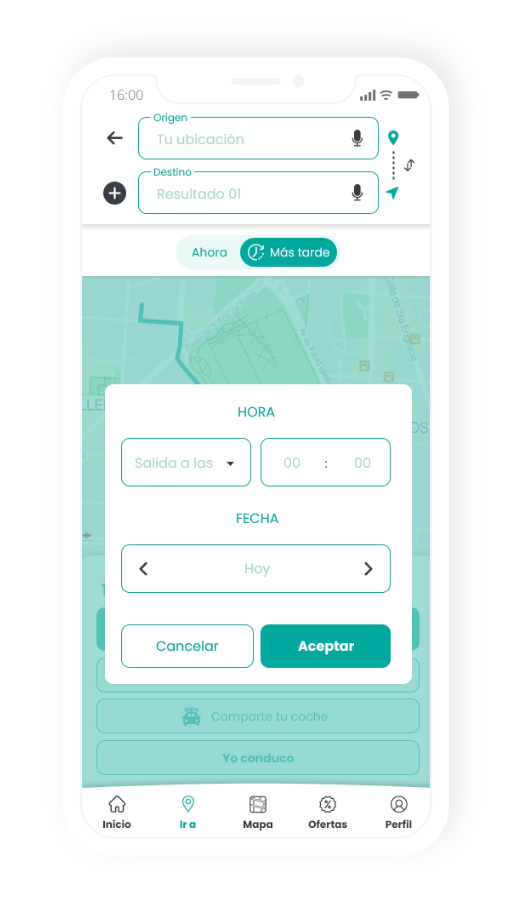
This includes the
time and date of departure

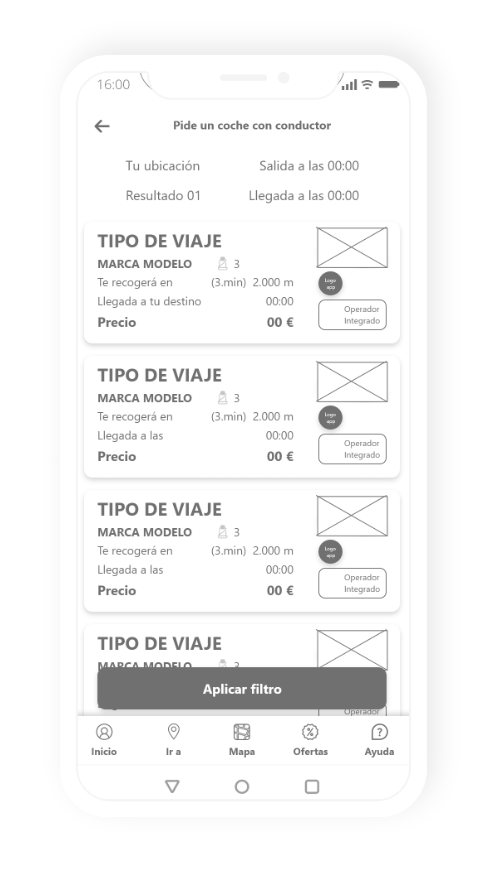
The user is presented with the options available to reach their destination
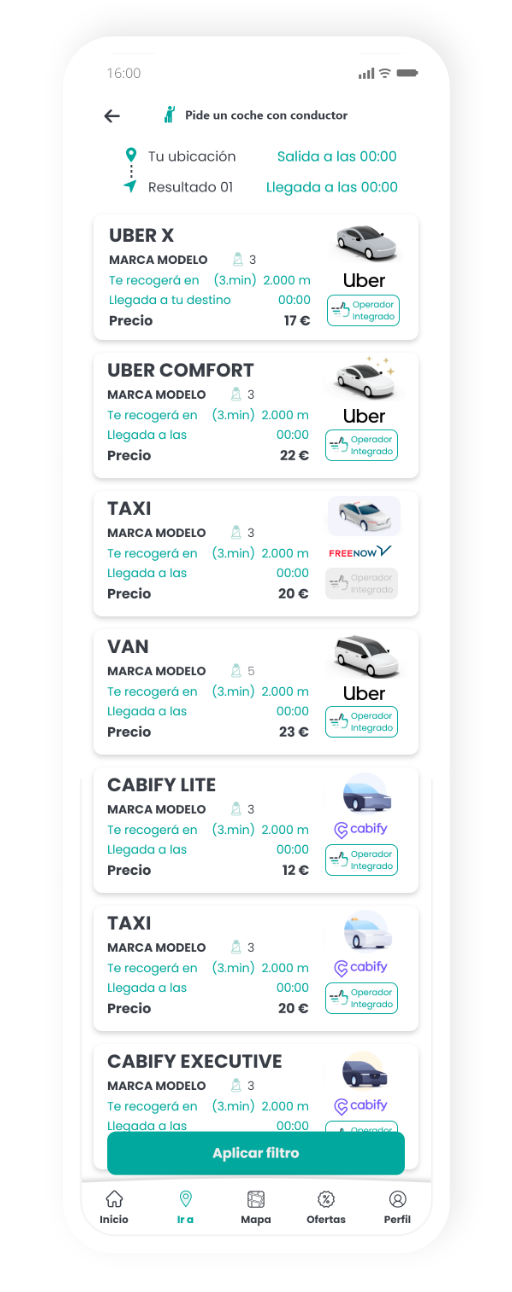
Filter for departure time
or arrival time and date
This includes the
time and date of departure
The user is presented with the options available to reach their destination
Filters
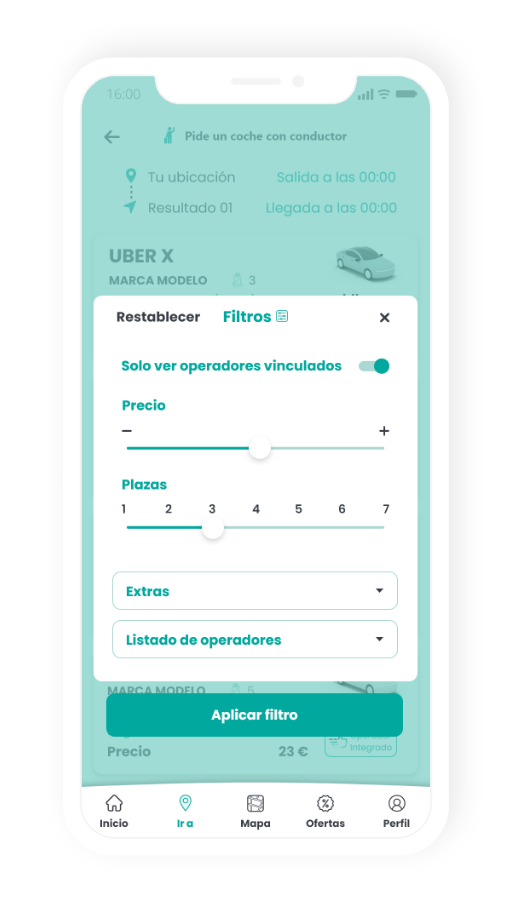
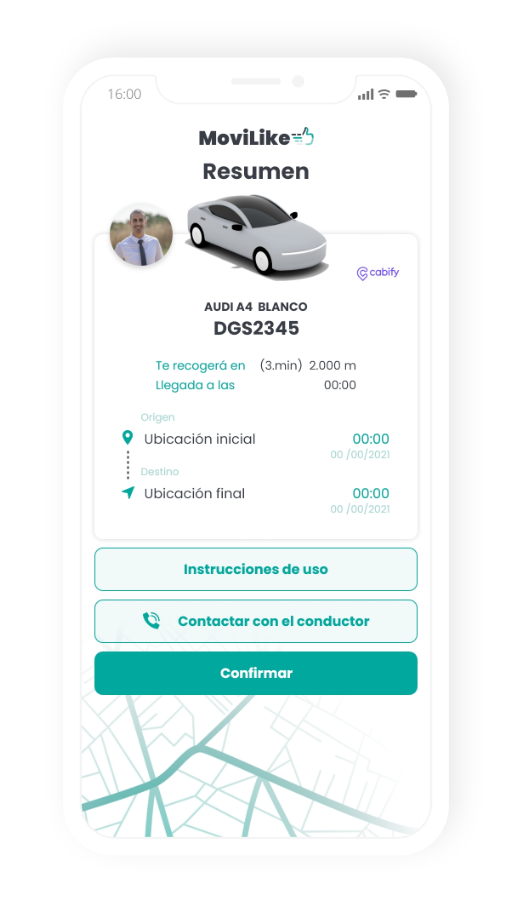
Summary
– This area includes all the information needed to find the vehicle and to contact the driver if necessary.
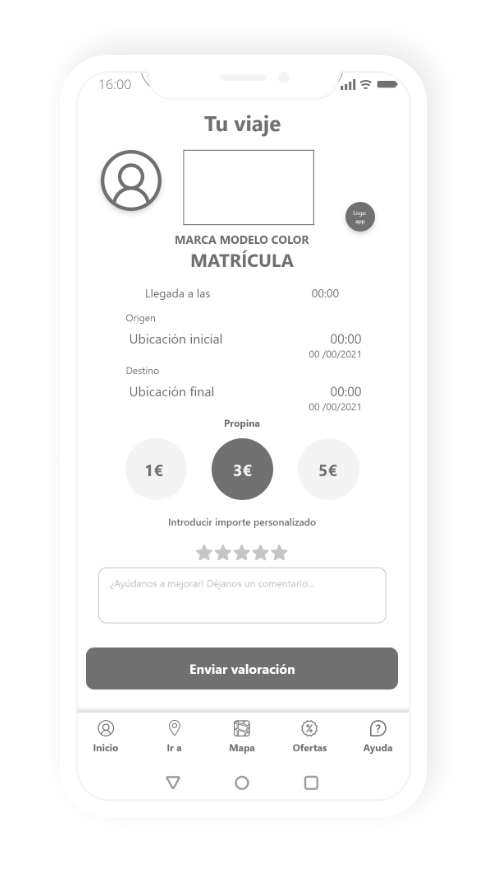
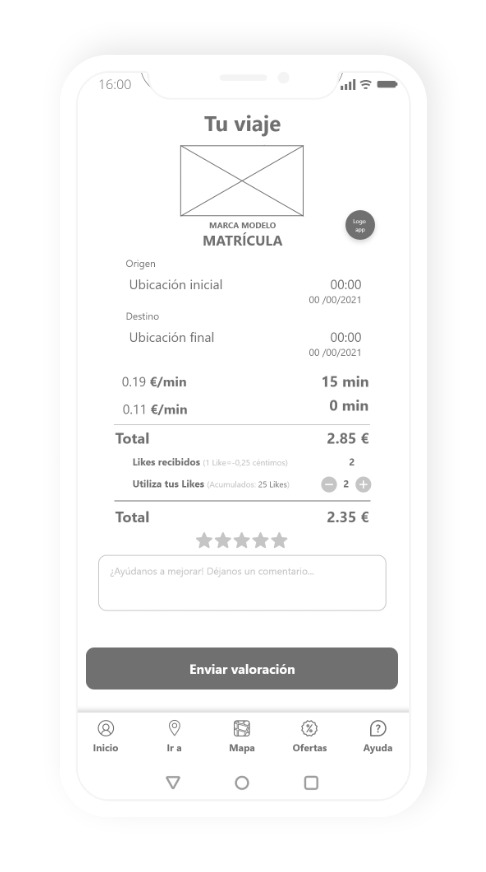
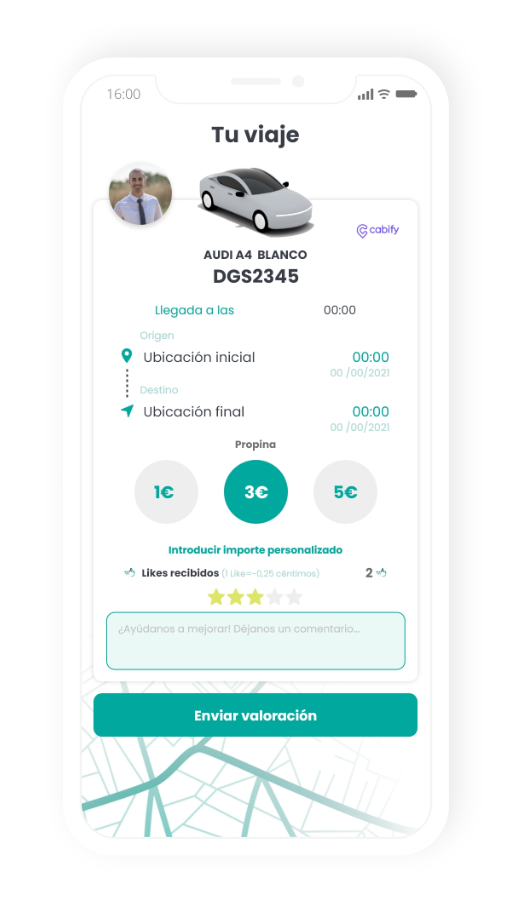
Your trip
– Final summary of the entire journey in which, if the operator is compatible, you can leave a tip and a review of the journey.
– This area also informs the user of the Likes they have received on their profile (if the operator is integrated with MoviLike).
2. «I drive» process
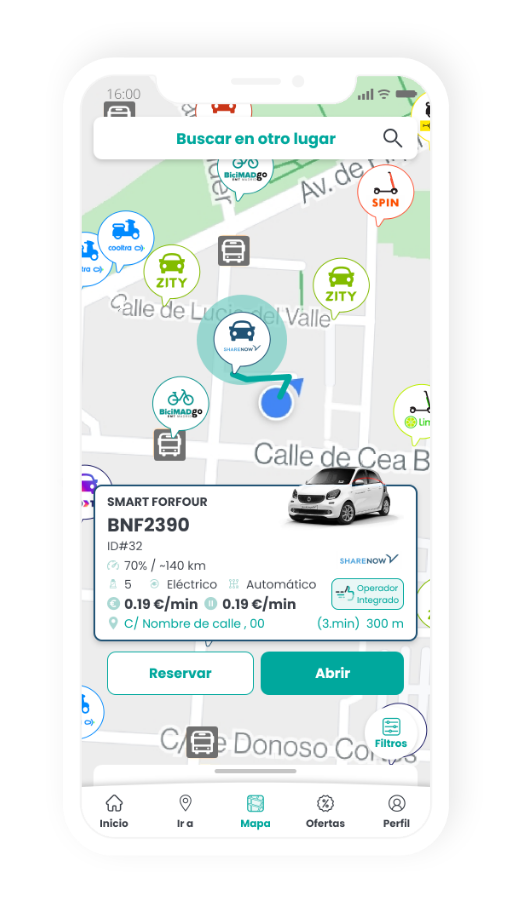
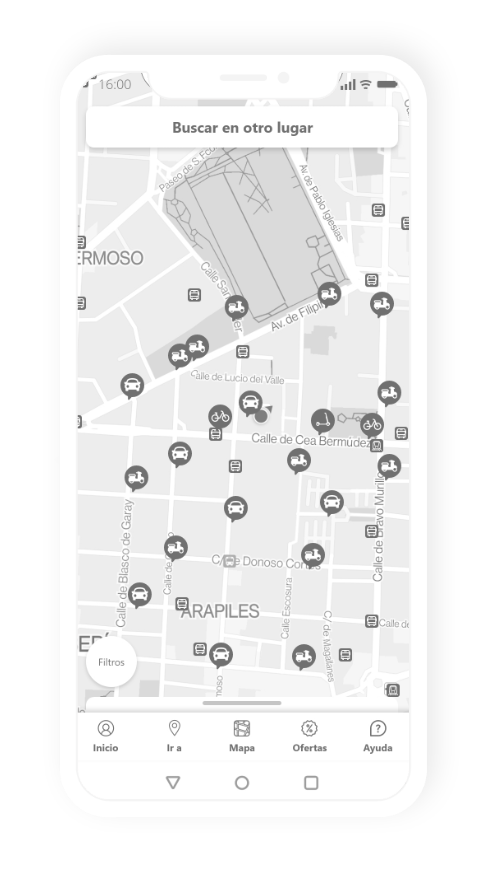
The main map, with search engine
to change location
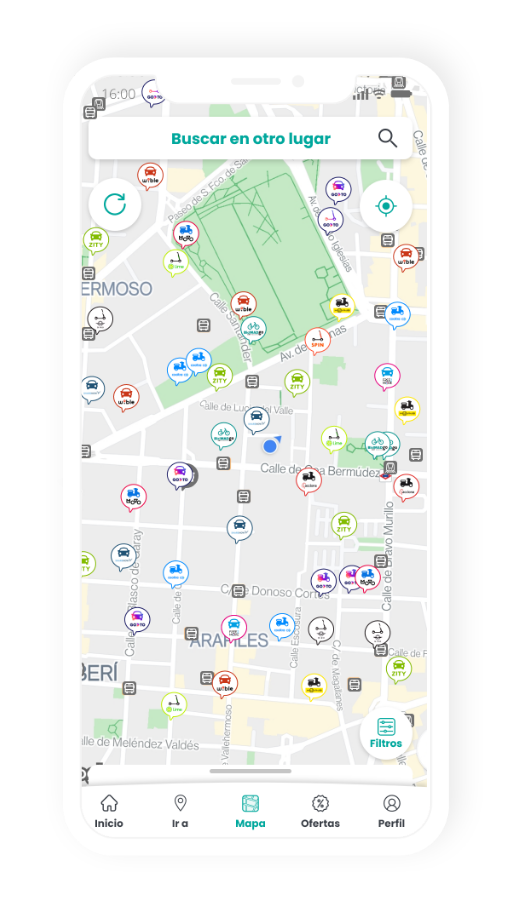
Operators
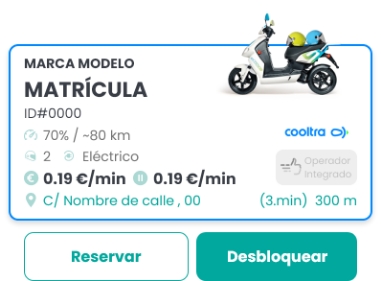
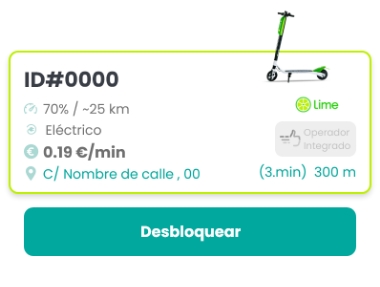
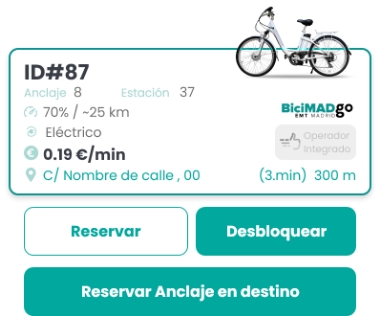
– The map shows the available vehicles, the type of vehicle, and the operator who manages them.
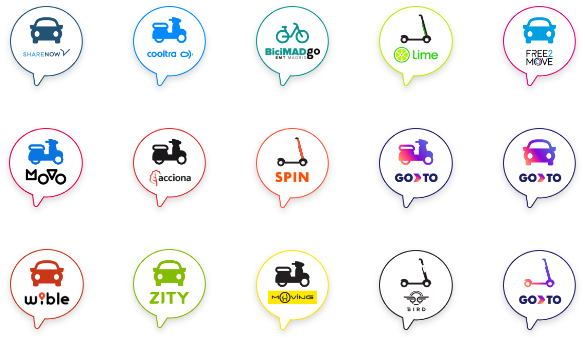
Choice with Zoom of an operator
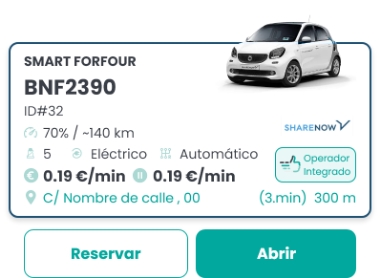
Depending on the type of vehicle chosen, the following will
be displayed different data and buttons
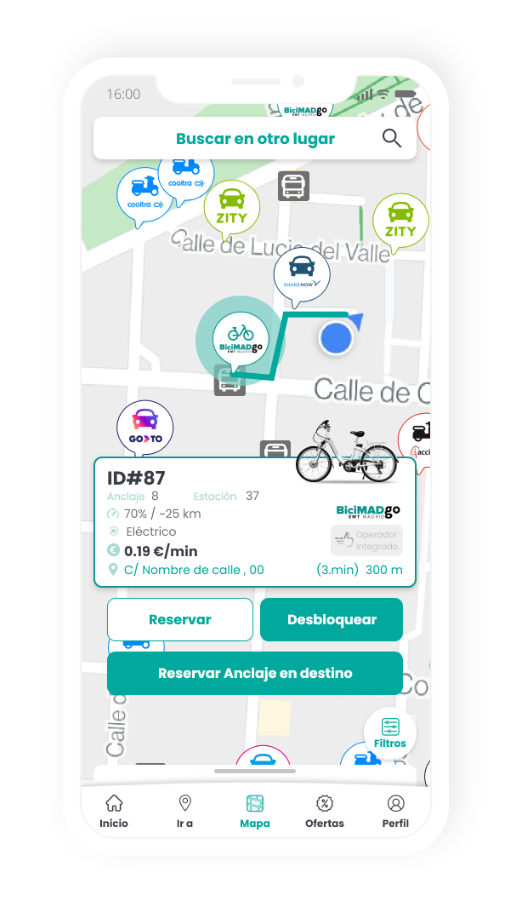
Car
Motorbike
Scooter
Bicycle
Choice with Zoom of an operator
Depending on the type of vehicle chosen, the following will be displayed different data and buttons
Car
Motorbike
Scooter
Bicycle
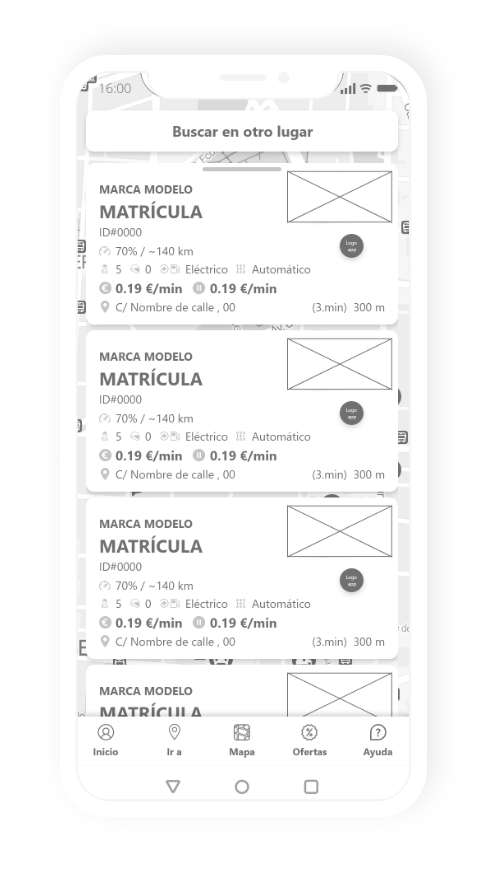
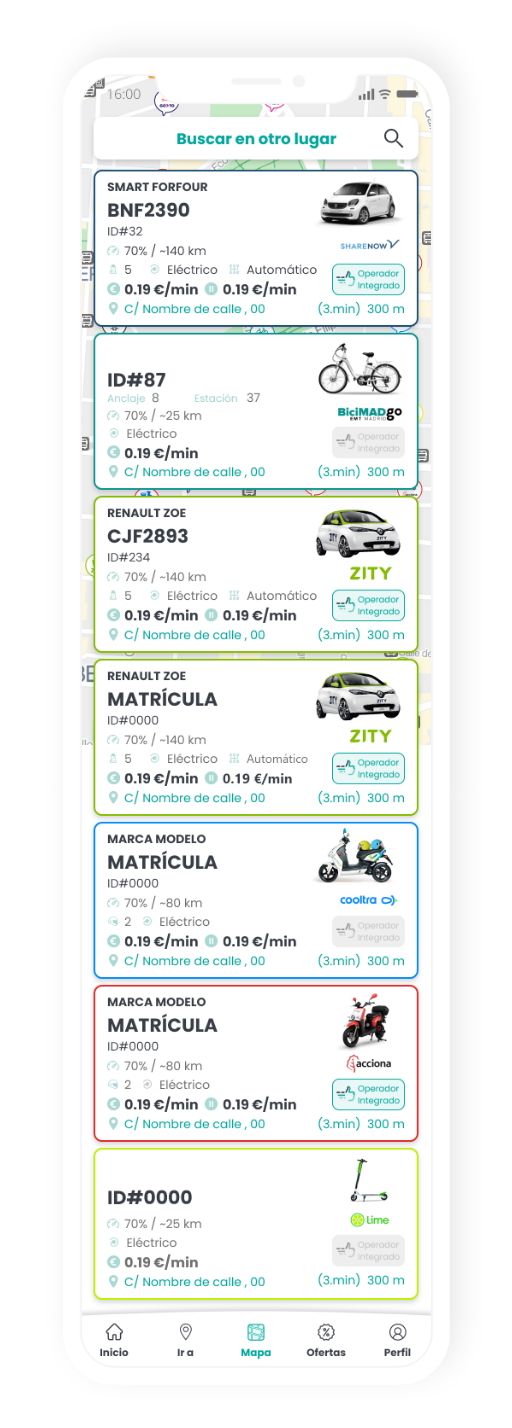
List of vehicles
(according to proximity to the user)
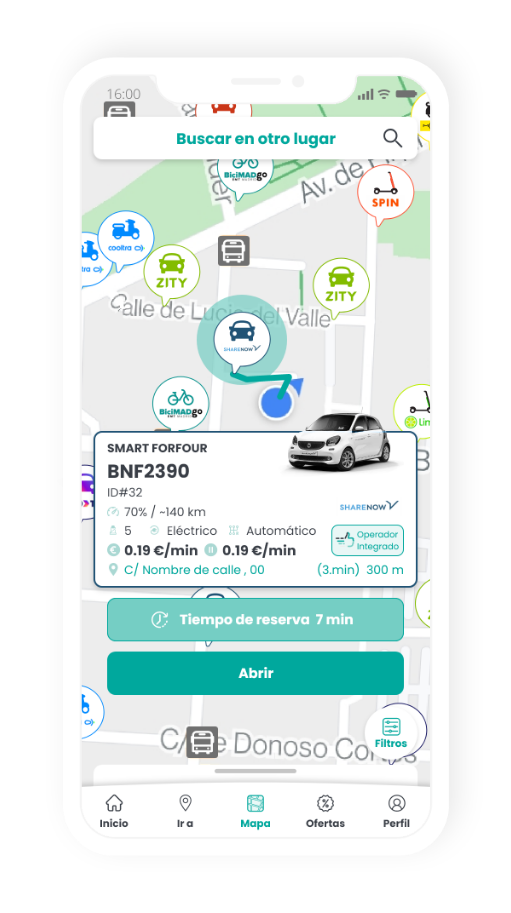
Booking process
– The screen will show the remaining time left for the user of the booking, as well as the map so that the user knows where the vehicle is at all times and can reach it easily.
Notifications will also be included when there are 5 minutes left to the end of the booking and the total time remaining.
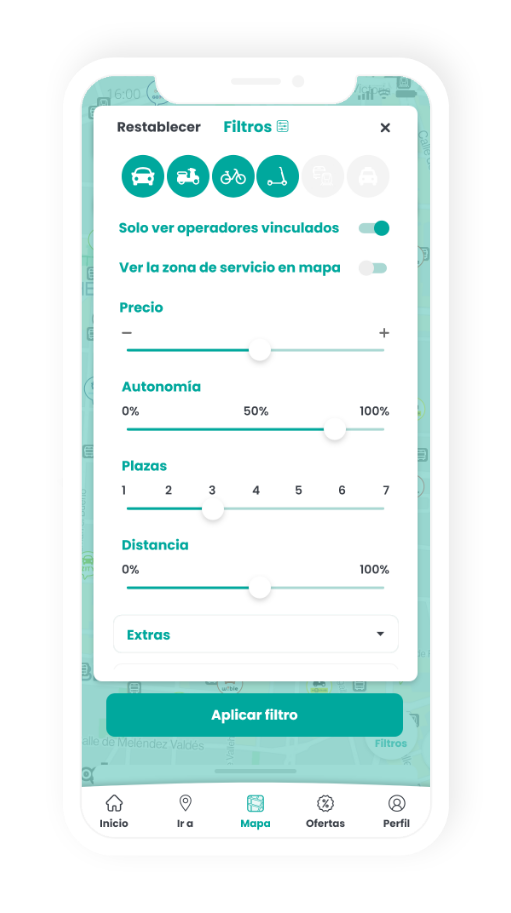
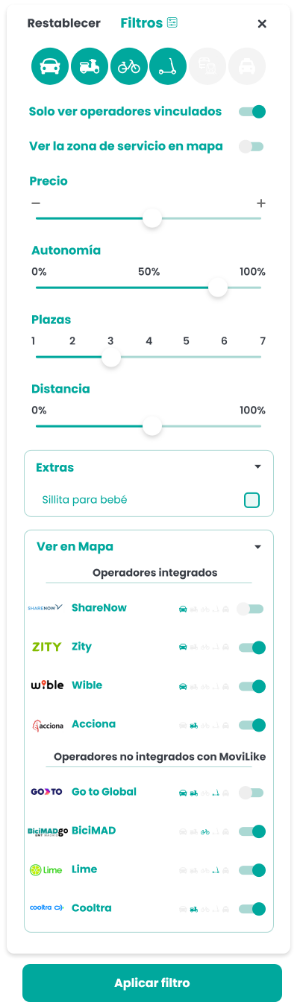
Filters
List of vehicles
(according to proximity to the user)
Booking process
– The screen will show the remaining time left for the user of the booking, as well as the map so that the user knows where the vehicle is at all times and can reach it easily.
Notifications will also be included when there are 5 minutes left to the end of the booking and the total time remaining.
Filters
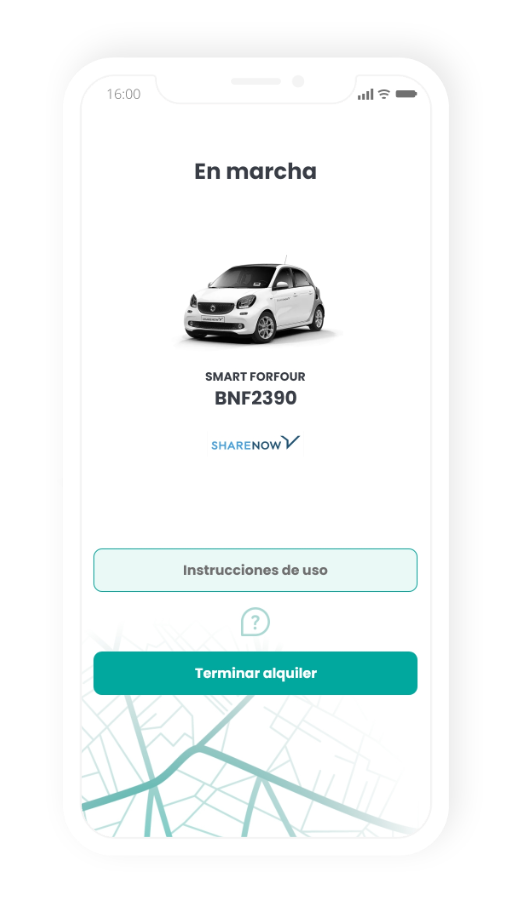
On-line summary with help button and operating instructions
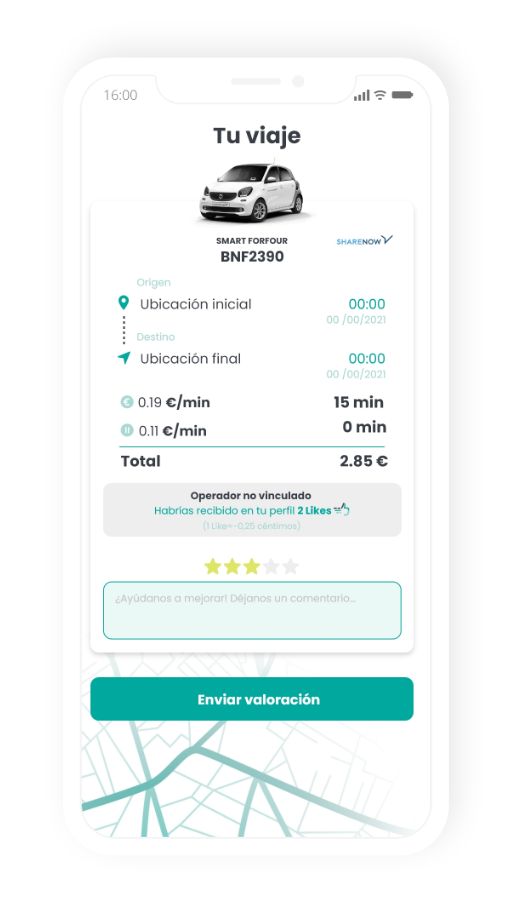
End-of-trip summary with all necessary data
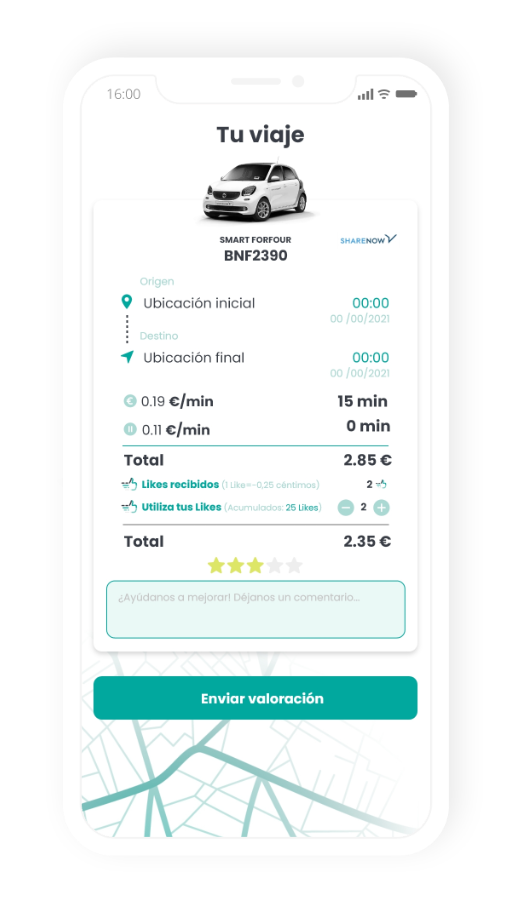
Use of Likes
– The possibility of using your Likes to pay has been included in the overview. In addition to informing the user how many they have received for this journey (if the operator is integrated with MoviLike).
– If the operator is NOT integrated with MoviLike, you will receive a message of how many you would have received.
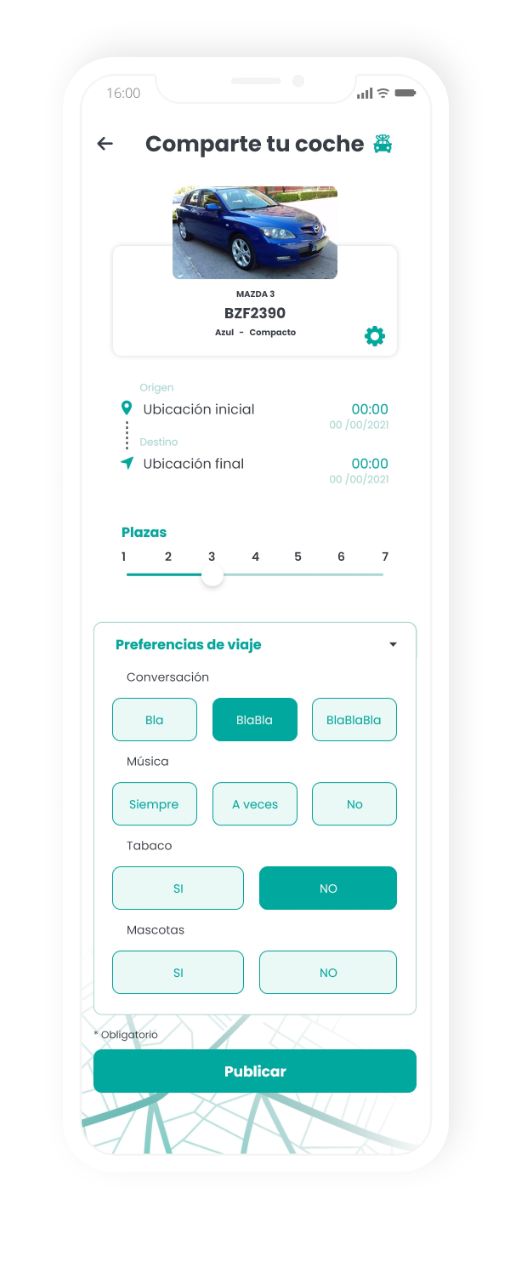
Share a journey
screen
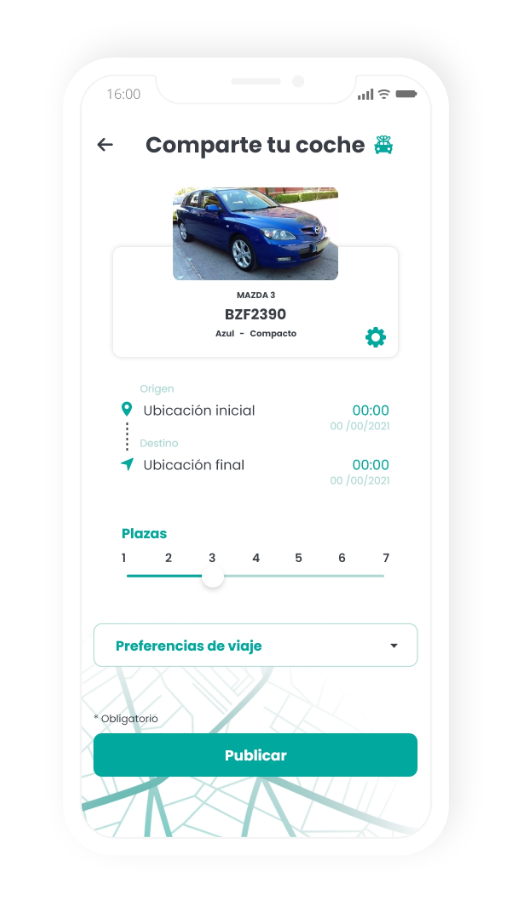
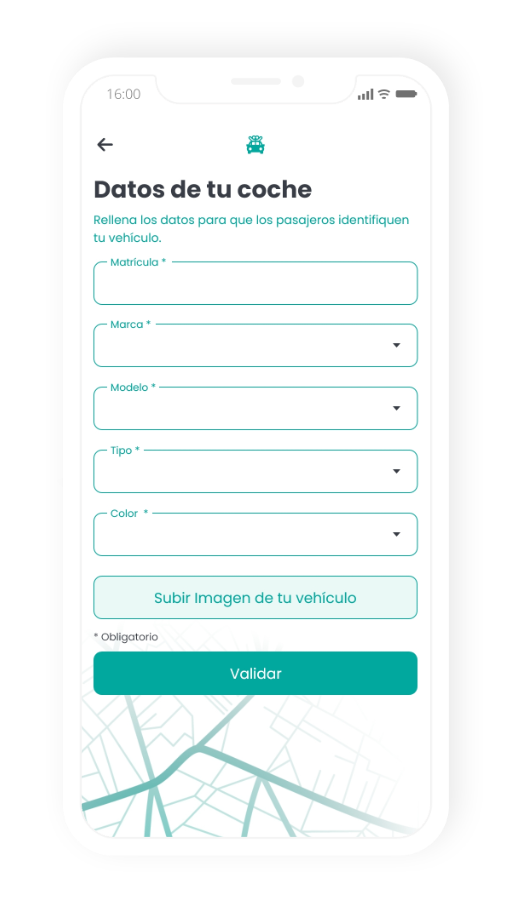
You can modify the vehicle’s
details or register it
Filters
dark mode